
Audit & privacy
LEMA Chat is built for a sovereign posture: an open-source spine, data and inference kept EU/IoM, a tamper-evident record of what happened, and self-service data rights for every user.
The audit log
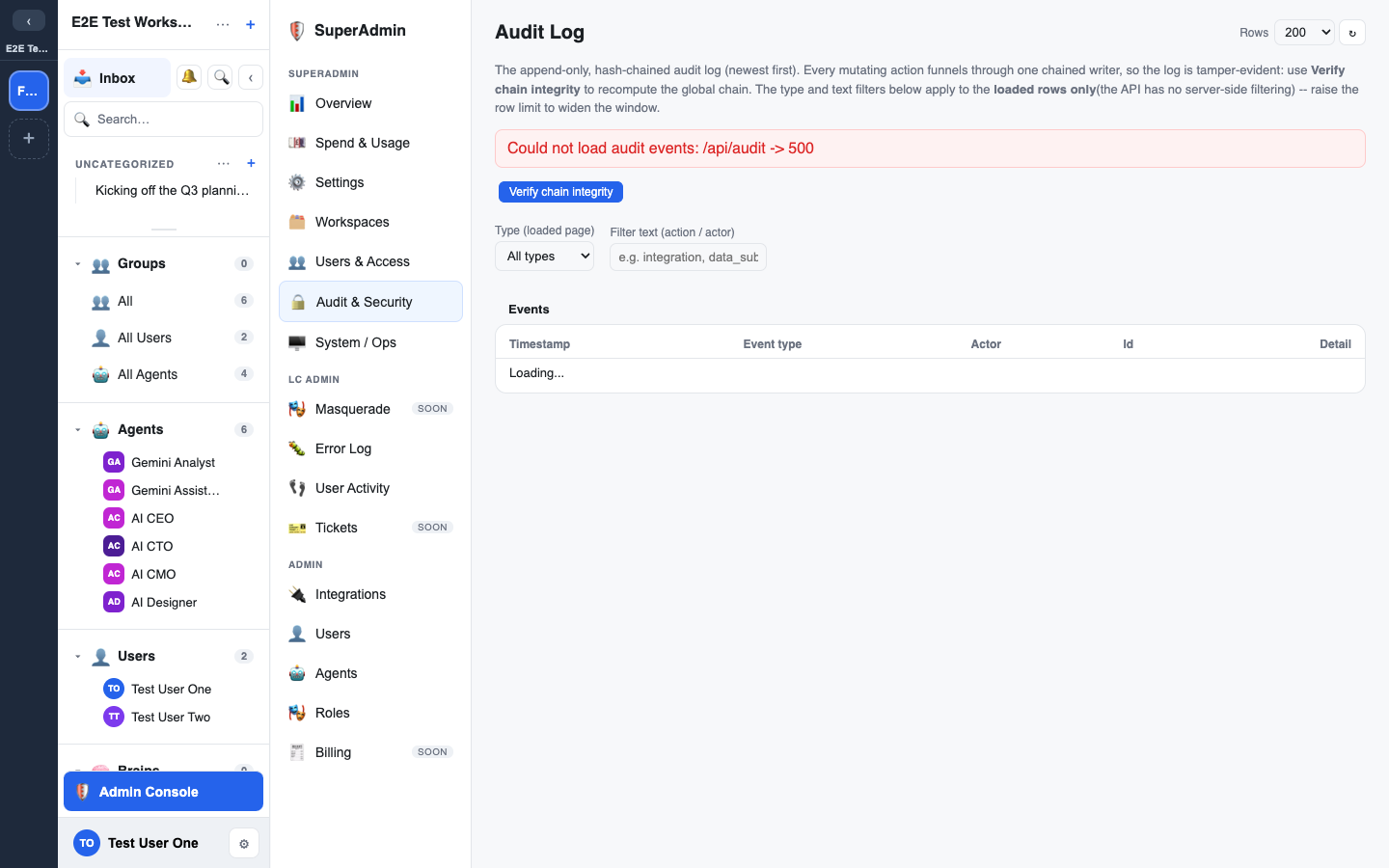
Every consequential action is written to an audit log protected by a global SHA-256 hash chain: each entry is chained to the one before it, so the record is append-only and any tampering is detectable.
- View the log from the Admin console's Audit page.
- Verify the chain: a verification endpoint re-walks the entire chain and confirms it hasn't been altered. If any row were changed or removed, verification would fail.
Because the chain is append-only, even erasure (below) is recorded as a new event rather than by editing history. This keeps the chain intact while honouring the deletion.
Masquerade (support access)
Your platform operator's support staff can masquerade as a user to see exactly what they see, and do what that person can do, when helping with a problem. The safeguards:
- Visible: a bar across the top shows "Masquerading", a countdown, Hide and Exit. When the person being viewed is an admin, it reads "Acting as name (admin)".
- Same powers, never more: the support person can do exactly what the person can do, nothing more. Nobody can masquerade as someone with higher access than their own (an LC Admin cannot act as a super admin).
- Everything is logged: every change made while masquerading is recorded in the audit log under both people, the support person and the person they acted as. API keys, connection keys and test passwords created while masquerading also record who really created them.
- Reason and notice: every masquerade needs a reason. An admin who is masqueraded as gets a notification when it starts and when it stops, with that reason, and only they can clear it.
- Who can masquerade: only your platform operator's LC Admin and super admin staff. Workspace owners and admins cannot masquerade.
Solo Chats
Each person's Solo Chats are private in the business sense: other members cannot open them, and adding someone to a group does not grant access. Workspace owners and admins can review workspace content, including Solo Chats and direct messages, while the workspace's admin access is on. Platform admins (LC Admin and above) can reach them only by masquerading as that person, which is visible, time-limited and recorded in the audit log. They are not private in an absolute sense.
The support access log
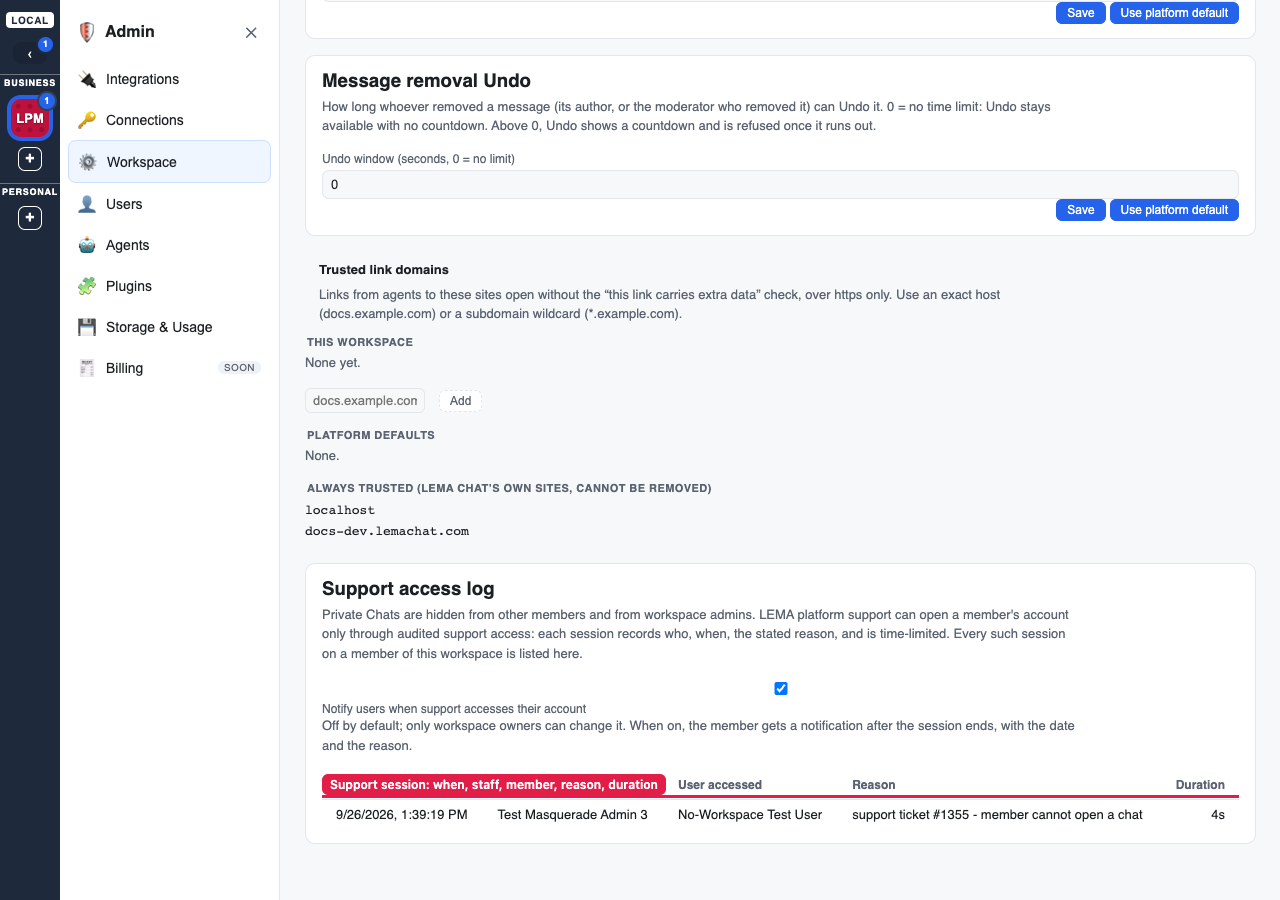
Workspace owners and admins can see every time platform support used support access on a member of their workspace. Open Admin > Workspace and scroll to Support access log. Each row shows:
- Started: the date and time the session began.
- Support staff: the platform staff member who used support access.
- User accessed: the member whose account was used.
- Reason: the reason the staff member gave (blank reasons show as "(no reason given)").
- Duration: how long the session lasted, or "in progress" while it is live.
The log comes from the same audited session records the platform uses, so it can't be edited from the workspace. It lists sessions on current members of the workspace that started after they joined it. Support access acts on a person's whole account, so a session on someone who belongs to more than one workspace appears in each of those workspaces' logs.
Notify users when support accesses their account
Also under Admin > Workspace, this setting is off by default and only workspace owners can change it. When it is on, a member whose account support accessed gets a notification after the session ends (stopped or expired), with the date and the reason. If a member belongs to several workspaces, they are notified when any of them has this on.
GDPR: data-subject rights
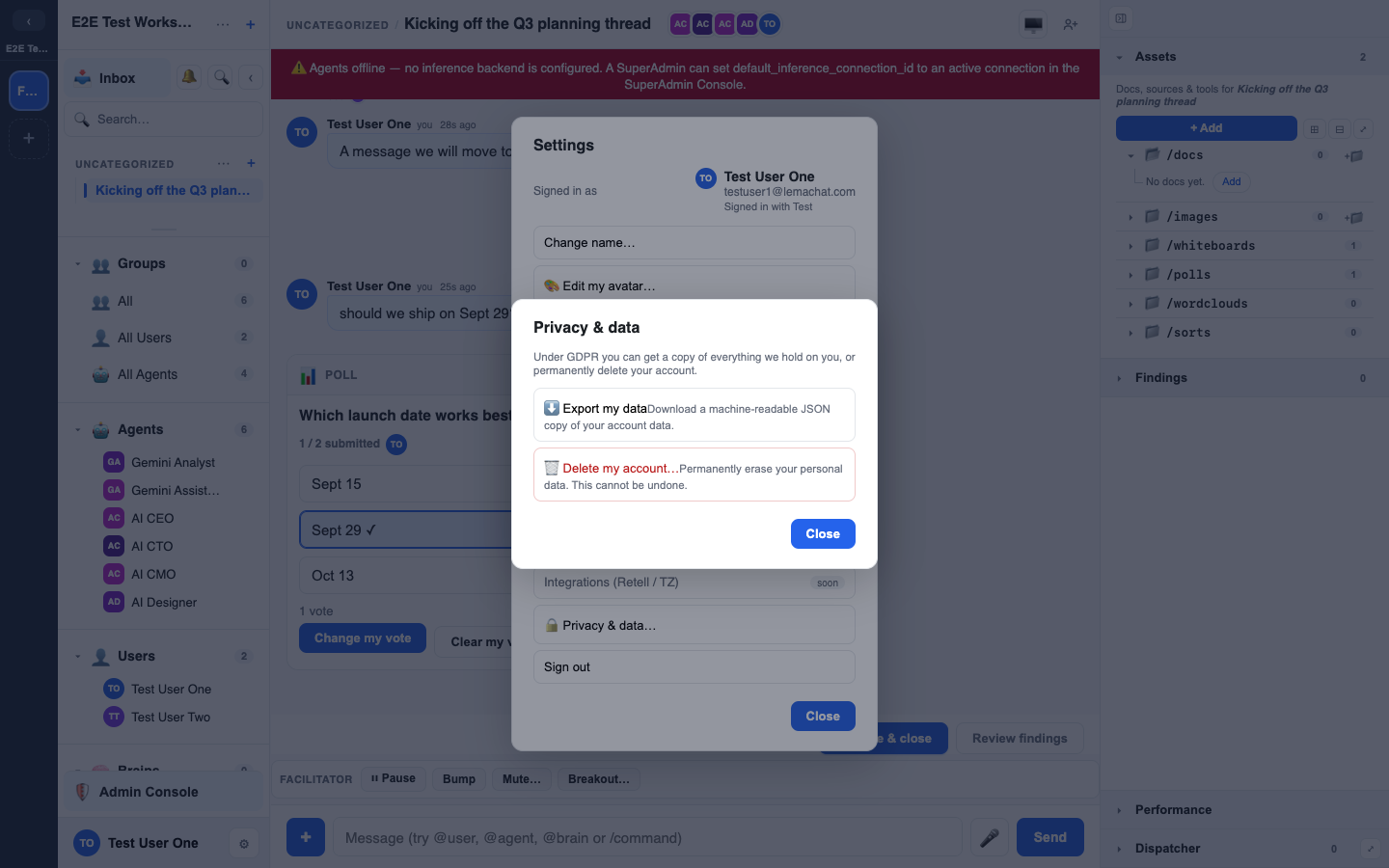
Users exercise their own data rights without an admin. The flows act only on the caller's own account:
- Export (Art. 15 / 20): a user downloads a machine-readable JSON bundle of their data.
- Erasure (Art. 17): a user irreversibly erases themselves. Erasure crypto-shreds their BYOK secrets, redacts content they authored, hard deletes their files/avatars/push subscriptions/memberships, and anonymises their user row. It's idempotent.
Erasure and workspace ownership
- Sole owner, other people present: erasure is refused with a clear
sole_ownererror naming the workspaces. The person must hand ownership to someone else first, so a workspace is never orphaned. - Trashed workspaces count too: a trashed workspace where the person was the only owner and other people were members also blocks erasure, because those people can still recover it.
- Agents never count as owners, or as members who need a new owner. A workspace shared only with agents does not block.
- No person left: a workspace the person owns that would be left with no person in it (only agents, or nobody) moves to the Trash when the erasure runs. It is deleted permanently when the Trash period ends. Only a SuperAdmin can restore it. See Workspace lifecycle.
- The audit log is not edited: erasure appends a new event and leaves earlier entries as they are, so the chain still verifies.
The compliance gate
Synthetic data only, for now
LEMA Chat carries an explicit compliance gate: synthetic data only until EU-ZDR inference, a DPIA, and a ROPA are live. No real personal or client data should touch any surface before then. This is a product-level rule, not a suggestion: plan your rollout around it.
Related security settings
Hardening levers (content-security-policy, CORS, HSTS, rate limits, and the security feature flags) are platform-scoped settings managed by your platform operator, not from the workspace Admin console.
Facilitator whispers
- A whisper is a private note a Facilitator (or above) gives the AI agents in a chat. It is stored as a message only Facilitators and above, and platform admins, can read.
- The audit log records whisper writes (
facilitation.whisper, with actor, message id and whether an @mentioned agent was asked to reply, never the text), and whisper edits and deletions (facilitation.whisper_edited,facilitation.whisper_deleted). Whispers never go to external agents. Reading whispers is not audited: they are a normal part of the chat. - Members are told that facilitators may guide agents in the Privacy summary and in these guides, not in each chat.