
Connections (BYOK)
A connection is one stored credential and the rules for using it: bring your own key (BYOK). Connections are the single credential vault the whole platform uses, for model providers and for integrations.
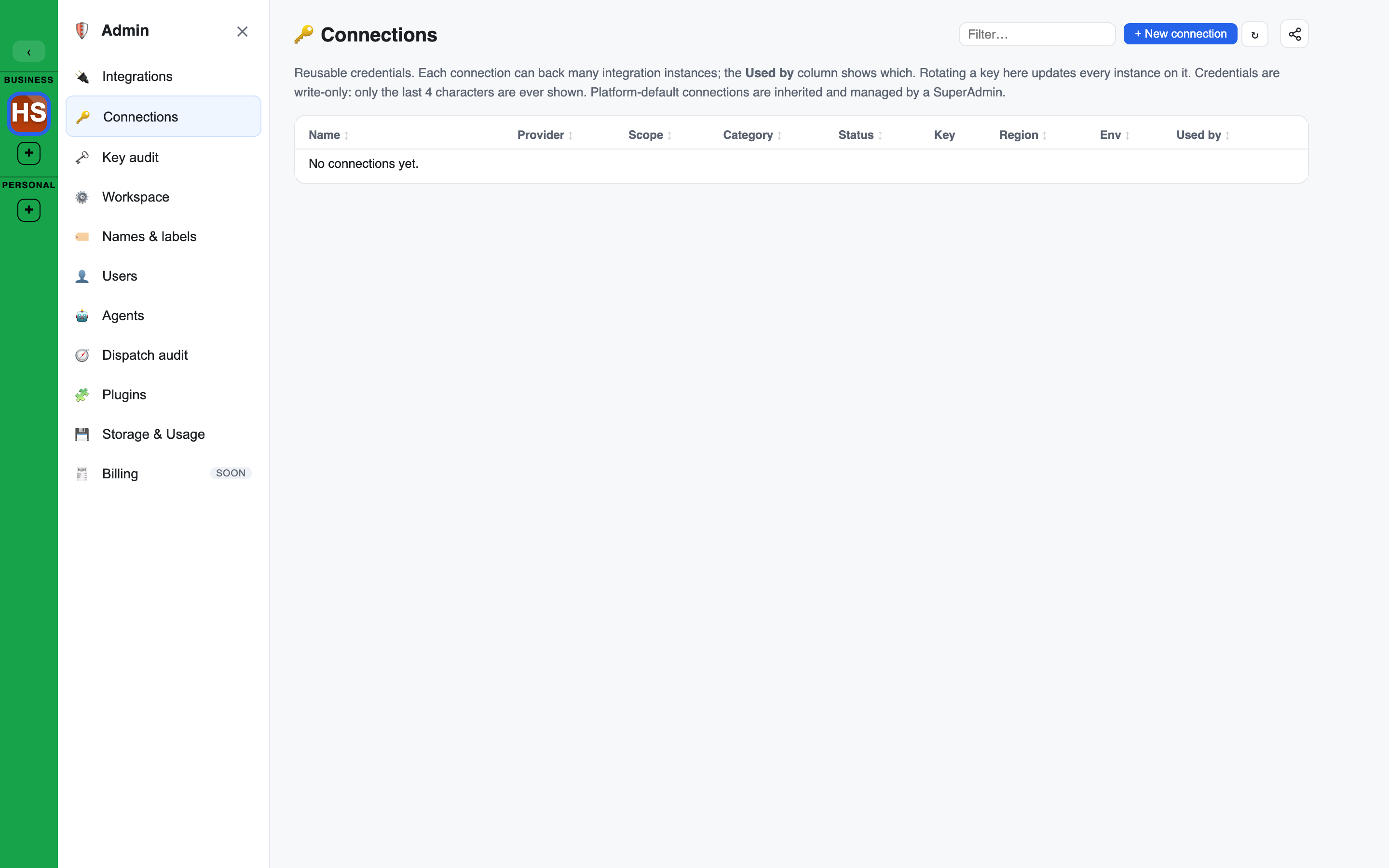
Open Connections in the Admin console. Managing connections needs the Owner or Admin role.
The Connections list
| Column | Shows |
|---|---|
| Name | The label you gave it |
| Provider | Who the key is for |
| Scope | Who it serves: you, the workspace, or the platform |
| Category | What kind of service it is |
| Status | active, disabled, invalid, untested or needs re-auth |
| Key | The last four characters only |
| Region | ANY, EU, UK or US |
| Env | prod, test or dev |
| Used by | The integrations that use it |
Each row has Edit, Rotate, Models (for model providers), Disable or Enable, and Delete.
- A platform default row is read-only for a workspace admin. It is managed by your platform operator.
Deleting a connection
Delete moves a connection to the Trash. It can be restored from there until the Trash deletes it for good, and the confirmation toast offers Undo.
- A workspace connection not in use: confirm the move to the Trash.
- A workspace connection in use: Delete opens one dialog naming the integrations that use it. They need this connection, so they move to the Trash with it, and come back together if you restore it. Press Delete with them to go ahead, or cancel to change nothing.
- There is no way to remove only the connection and leave its integrations behind. To keep an integration, point it at another connection first (see Backing connection in Integrations).
- A personal (user-scope) connection goes to its owner's personal Trash, under Settings > Keys & connections > Deleted keys and connections. While an integration still uses it, Delete is greyed out: delete or re-point that integration first.
Adding a connection
+ New connection asks for:
- Provider. For models: Anthropic, OpenAI, AWS Bedrock, OpenRouter, Google or xAI.
- Label. The name shown in the list.
- Credential. The API key or token.
- Scope. "workspace" shares it with the workspace. "user" keeps it to you.
- Category. AI System (LLM), REST API, MCP server, SaaS connector, Tool, Voice or Image generation.
- Region and Environment.
How the key is kept
The credential is encrypted at rest. After you save it, the app shows only the last four characters and a status. The full value is never shown again, to anyone.
Rotate replaces the key with another one without changing anything that depends on the connection.
Which connection is used
When something needs a credential, the most specific connection wins:
user, then workspace, then platform default
A person's own connection wins over the workspace's, which wins over the platform default. This lets some people bring their own keys while everyone else falls back to a shared one.
Only connections in the AI System (LLM) category are ever used for a model call. A key for mail or a database can never be picked for inference.
Allowed models
A model-provider connection can limit which models it may be used for.
- Press Models on the connection's row.
- ↻ Refresh from provider fetches the provider's own list.
- Tick the models to allow under Allowed models and save.
- A connection with no list allows every model the provider offers.
- Once a list is set, a model that is not on it is refused for that connection. An agent pinned to such a model does not use the connection. See When a pinned model cannot be used.
- A list cannot be saved empty. Tick at least one model.
- A model the provider has stopped offering is marked as such. The list cannot be saved while one is ticked: untick it first.
- Each model can also show its lifecycle state or "access unverified".
Choosing a compliant model
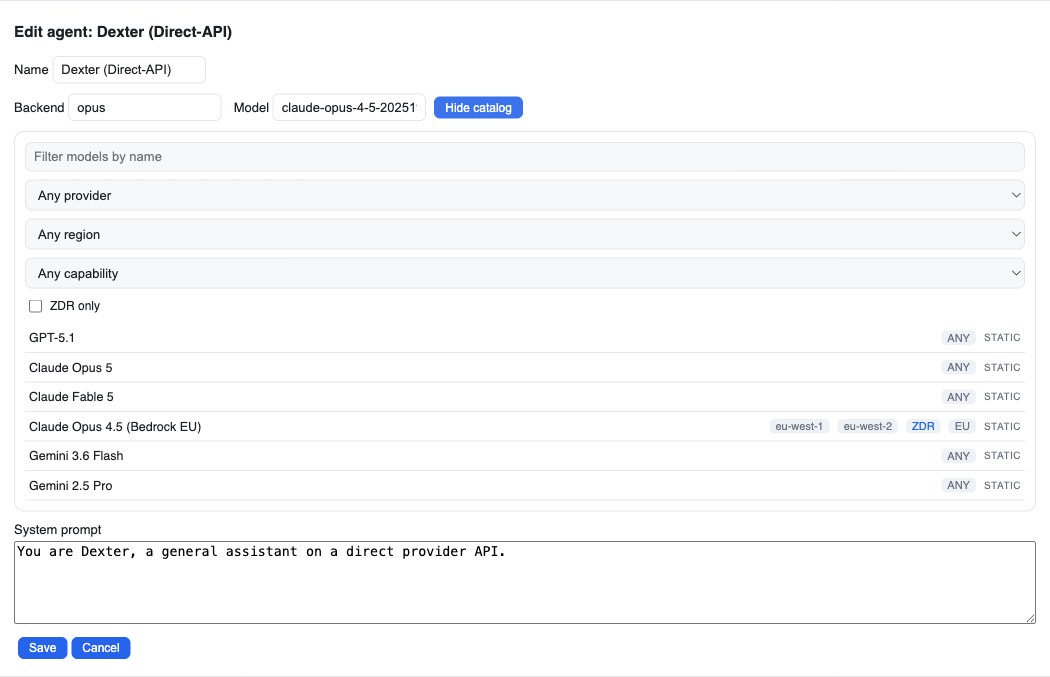
When you edit an agent, the model catalog carries the same sovereignty facts members see on the agent's sovereignty line, as filters. A data-residency requirement can drive the model choice directly. There are dropdowns for region and capability, plus a ZDR only tick box, and they combine.
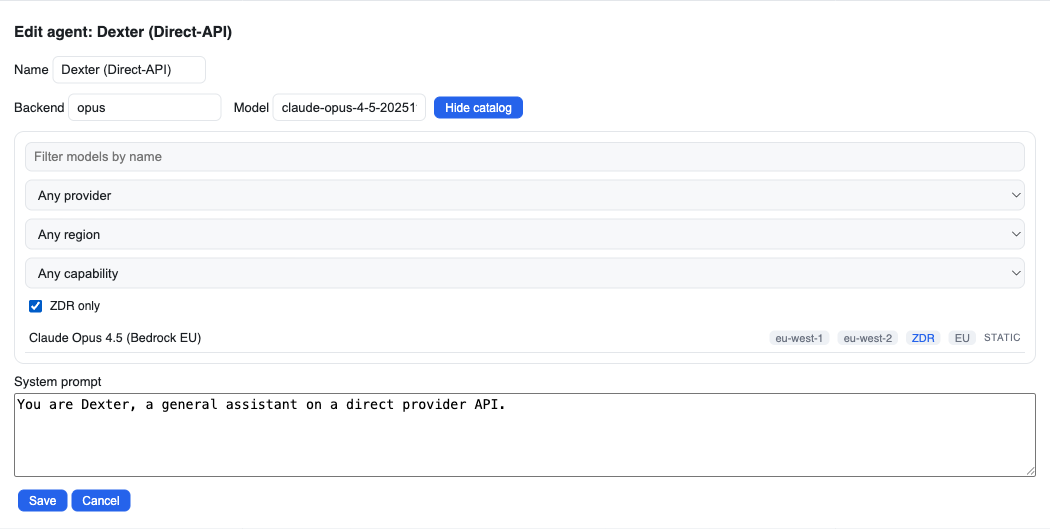
Ticking ZDR only narrows the catalog to models that can run under zero data retention.
Environment tags
A connection carries an environment tag: prod, test or dev. The tag is shown in the Env column so you can tell at a glance which is which. It is a label only. It does not change how the connection behaves.
Default inference
The default inference connection is the one agents use when nothing more specific applies. Your platform operator chooses it. It is not set from the workspace Admin console.