
Admin's Guide
This guide is for workspace administrators: the people who set a workspace up and keep it running. In LEMA Chat that means anyone with the Owner or Admin role in a workspace.
Where admin work happens
Admin work happens in three places.
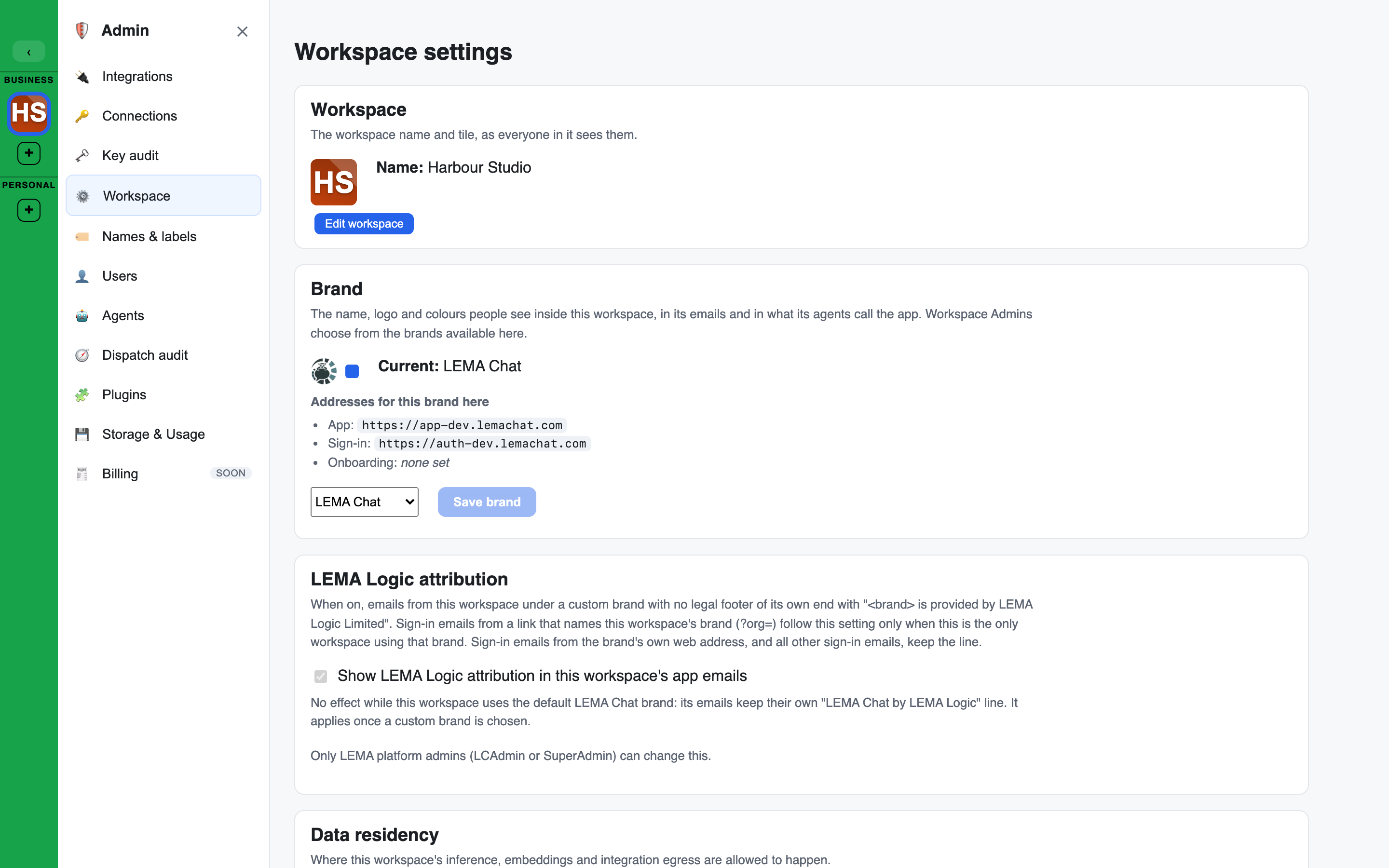
- The Admin console. Open Admin in the left sidebar. A workspace admin sees these pages: Integrations, Connections, Key audit, Workspace, Names & labels, Users, Agents, Dispatch audit, Debug traces, Plugins and Storage & Usage. The Workspace page holds the workspace's own settings; Names & labels holds the words it uses. A Facilitator who is not an Admin sees only Workspace, showing the settings their role can change.
- The left sidebar. People, groups, agents, Brains, assets and applications each have a section with its own manage page.
- Edit workspace. The pencil on the workspace header opens the workspace's name, type, image, data and model region, and the Danger zone.
Owner, Admin and the platform operator
- An Admin manages members, groups, agents, Brains, connections, integrations, plugins, applications and tickets.
- An Owner can do everything an Admin can, and also changes workspace-wide settings: data residency, names and labels, deliberation limits and the other settings on the Workspace page. Each setting names the lowest role that can change it: Admins change some, such as Trash retention and live costs, and Facilitators change the Founder and findings settings. See Who can change what.
- Your platform operator runs the platform your workspace lives on. Pricing, credits, platform settings, model defaults, spend, roles, snapshots, the audit log and the list of sites allowed to embed a chat belong to the operator and do not appear in a workspace admin's console.
Where a page in this guide says "your platform operator", the action is not available to a workspace admin.
In this guide
The workspace
- Workspace settings: every section of the Workspace page, workspace initials, the brand, and embedding a chat.
- Data residency and personal data: region and zero-data-retention rules for the workspace.
- Names and labels: rename the words the workspace uses for its sections.
- Workspace lifecycle: export, archive, Trash, recover and permanent delete.
- Trash: what deleting moves to the Trash, and restoring it.
- Workspace templates: start a workspace from a saved setup.
People and access
- Invites & members: the Users page, inviting people, roles and removing a member.
- Founders and positions: the Founder switch, Founders and the company Brain, and the Position field.
- Groups & roles: membership, clearance and what each role can do.
Agents, models and cost
- Agents and models: the default agents, editing an agent, choosing its model and prompt caching.
- Scheduled agents: have an agent post in a chat on a schedule.
- Connections (BYOK): your own provider keys and the models each one may use.
- Key audit: every credential at your level in one list, with rotate, test and disable.
- Credits & spend: what is metered and where you see it.
- Debug traces: what each agent turn sent to the models and the tools it called.
Knowledge and tools
- Brains management: creating, sharing and reviewing knowledge stores.
- Manage Assets: the workspace-wide library of files, docs, whiteboards and widgets, and the Trash.
- Applications: the external programs the sidebar links out to.
- Integrations & plugins: connecting outside services and governing who can use them.
- Plugins (widget types): switch widget types on or off for the workspace.
- Voice & phone interviews: what voice and phone interviews need, disclosure, and what callers can reach.
- Ticket types & workflows: the built-in and custom ticket types, their workflows, approving moves and changing a type.
Oversight
- Audit & privacy: the audit log, support access, and each person's data rights.