Workspace lifecycle
A workspace can be exported, archived, moved to the Trash, restored, and deleted permanently. Owners and Admins do all of this themselves. Every destructive step asks you to type the workspace's exact name first.
Who can do what
- Export workspace: Owners and Admins, from Admin > Workspace.
- Archive, Unarchive, Move to Trash: Owners and Admins, from the Danger zone in Edit workspace (the pencil on the workspace header).
- Restore and Delete permanently: Owners and Admins of the trashed workspace, from Trashed workspaces in the account menu.
- Only a signed-in person can do these. API keys, guests, agents and support access sessions are refused.
- Snapshots, restore and reset to defaults are platform-operator actions. See Snapshots and reset.
Export
Admin > Workspace > Export workspace downloads the workspace's content and files as zip files with a manifest.
- Secrets, the Trash and version history are never included.
- Click Export workspace. The row shows progress while it runs, then "Export ready, available until" a date and time.
- A large export splits into a data zip and one zip per asset type, all listed in one manifest.
- Downloads expire: a finished export stays downloadable for 24 hours by default.
- Support access sessions cannot start or download an export.
Archive
Archive workspace makes the workspace read-only.
- Everyone keeps reading it; nothing new can be written.
- Schedules are paused, queued jobs are cancelled and running agent replies stop.
- It is still billed.
- A banner on every page reads "This workspace is archived and read-only." Owners and Admins see Unarchive on it.
- Unarchive workspace makes it writable again: chats, agents, schedules and integrations resume.
Move to Trash
Move to Trash… opens a confirmation.
- Delete preview: before you confirm, it shows how many members, chats and files the workspace holds, and how many days it can be restored for. The preview shows counts only, never content.
- Type the workspace name, then click Move to Trash.
- Nobody can open a trashed workspace. Its members are set aside so they can be put back on restore.
- It is not billed while in the Trash. If it is restored, the Trash period is billed.
- It stays in the Trash for 7 or 30 days (your platform operator chooses; default 30). The date is fixed when it is trashed. After that it is deleted permanently.
Restore from Trash
Open Settings > Privacy & data and choose Trashed workspaces. It lists the trashed workspaces you were an Owner or Admin of, who moved each one, and the date it will be permanently deleted.
- Restore puts the workspace back in the state it was trashed from (active or archived), with its members.
- Restore is refused once permanent deletion has started.
- The emailed Restore link opens the same list.
Delete permanently
In Trashed workspaces, click Delete permanently…, type the workspace name, then Delete permanently. This cannot be undone.
- If you are the only Owner or Admin, deletion starts now.
- If the workspace has other Owners or Admins, deletion cannot start until 72 hours after it was trashed. Every Owner and Admin gets a notification and an email with a Restore link, and any of them can restore it until then.
- Asking again while a deletion is pending changes nothing and sends no second round of notices.
When the last owner erases their account
A person who erases their own account (see Audit & privacy):
- is refused if they are the only owner of a workspace that has other people in it. They must hand ownership to someone first. Agents do not count.
- leaves any workspace they own with no other person in it (only agents, or nobody) in the Trash. It is deleted permanently when the Trash period ends. Only a SuperAdmin can restore it.
Snapshots and reset
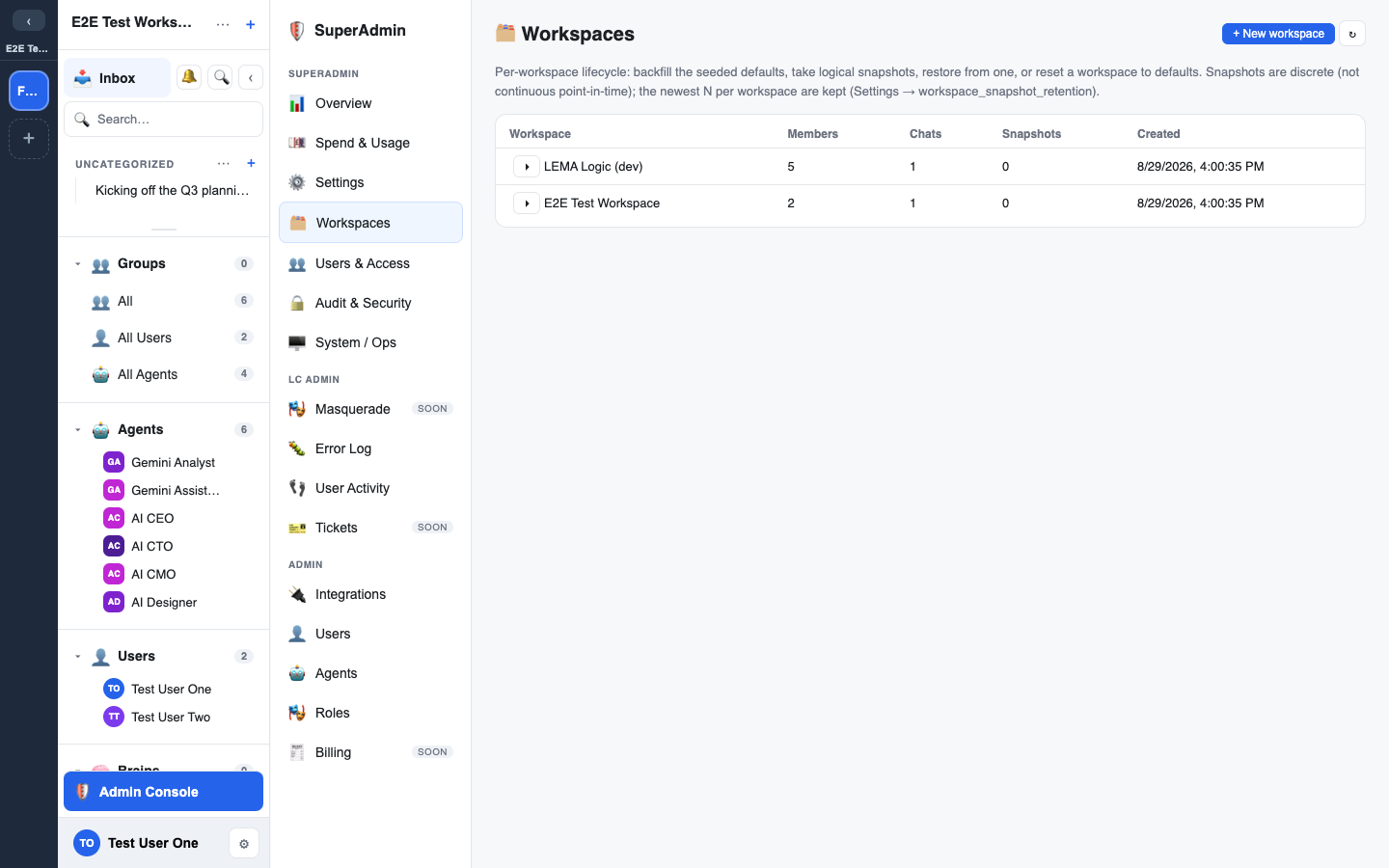
Snapshots, restore and Reset to defaults are run by your platform operator from the SuperAdmin console, not from the workspace Admin console.
- A snapshot captures the workspace's data. The newest 10 are kept per workspace by default.
- Restore rolls the workspace back to a snapshot. Reset to defaults wipes content and reseeds the workspace while keeping its members.
- Both take a safety snapshot first, and both need the exact workspace name typed. Reset also needs a confirmation tick.