
Invites & members
This page covers the Users page, inviting people, changing a member's role and removing a member. Managing members needs the Owner or Admin role.
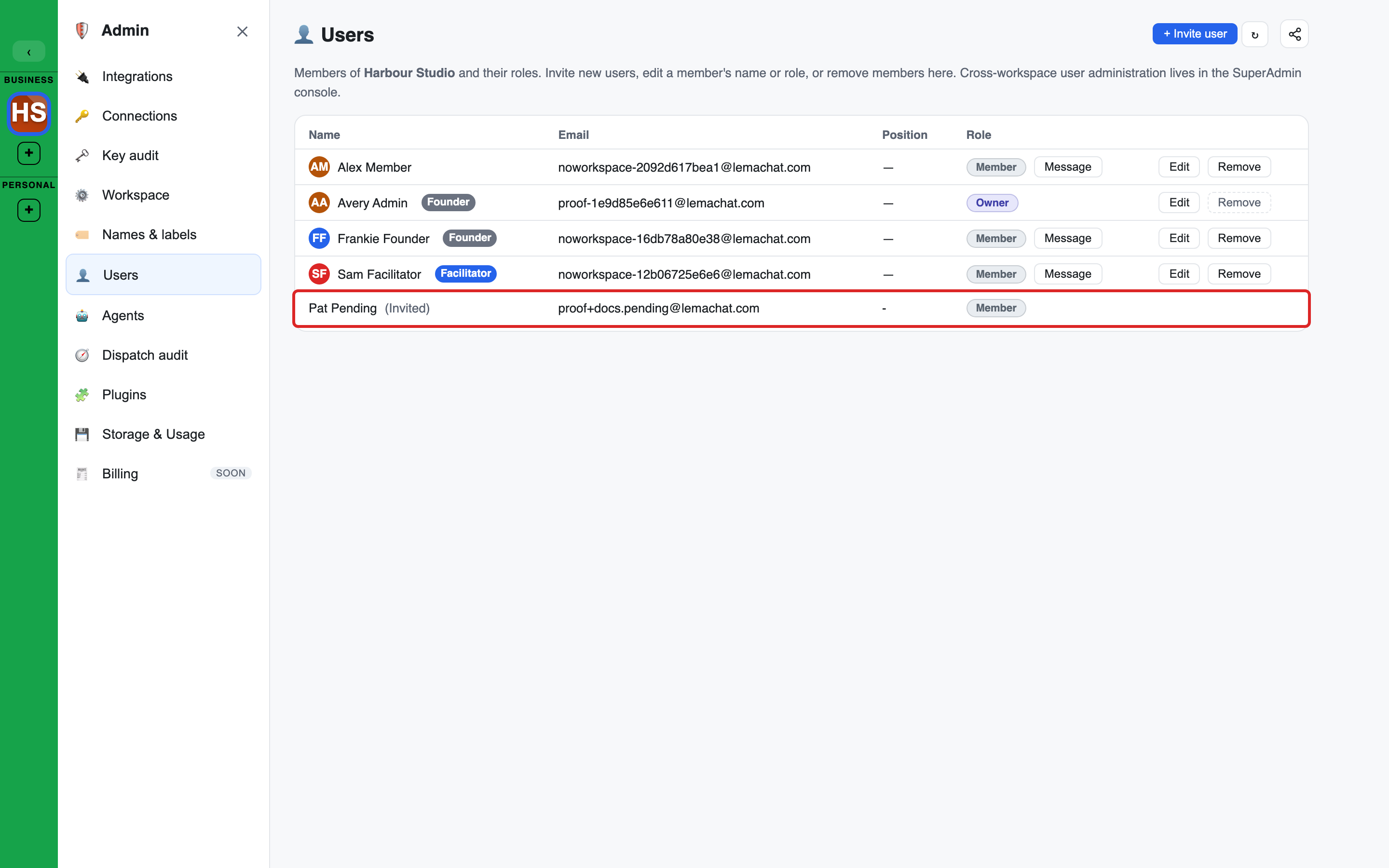
The Users page
Open Users in the Admin console. It lists everyone in the workspace.
| Column | Shows |
|---|---|
| Name | The display name, with a Facilitator or Founder badge where it applies |
| The address the person signs in with | |
| Position | The person's job title, if one is set |
| Role | owner, admin or member, and a Message button |
- + Invite user creates an invite.
- Edit on a row changes the display name, role, Position and the Founder switch.
- Remove takes the person out of the workspace.
- People who have been invited but have not joined are listed too, with "(Invited)" after the name. Owners and Admins get Resend invite (emails the link again) and Cancel invite (after a confirm, the link stops working) on those rows.
- After Remove the list always reloads. If the person was already gone, it says they were already removed.
Someone who is not an Owner or Admin sees the list read-only. While platform support is viewing the workspace as you, the invite button is locked.
Founder and Position are two separate things. See Founders and positions.
Inviting people
There are two ways in.
Several people at once
Press + on the workspace line in the left sidebar to open Invite people.
- Enter a name and an email address for each person. + Add another person adds a row. A name is optional but personalises the email.
- Optionally pick groups under Add to group(s). Everyone joins the "All" group automatically. Tick Facilitator beside a group to make the person a Facilitator of it.
- Optionally tick Founder. See Inviting a Founder.
- Role (advanced) is Member unless you change it to Admin or Owner.
- Press Send invite.
Each person gets their own single-use invite by email.
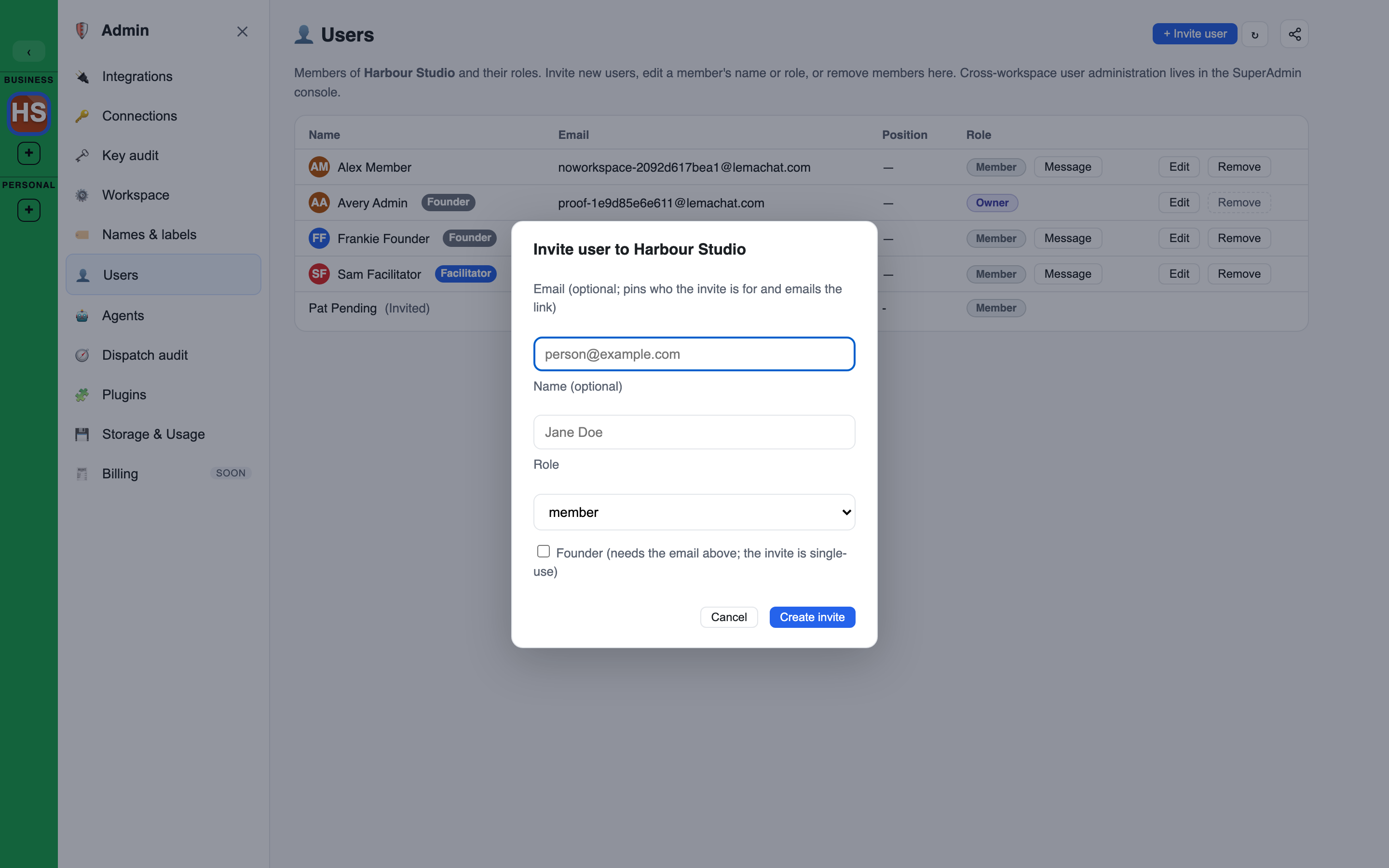
One person, from the Users page
+ Invite user opens a smaller form: an optional email, an optional name, a role and an optional Founder tick.
- With an email, the invite is tied to that address and the link is emailed.
- Without one, you get a Shareable link to pass on yourself.
An address that already belongs to a member is refused.
Pending invites
The Users section of the left sidebar lists pending invites with three actions: Resend, Edit (change the role) and Cancel.
Which roles you can give
- Nobody can change their own role.
- Only an Owner can make someone an Owner, or change an Owner's role.
- An Owner or Admin can make someone an Admin, or change an Admin's role.
- The only Owner of a workspace cannot be demoted or removed. Make someone else an Owner first.
The same rules apply when you invite someone and when you edit a pending invite.
What the invited person sees
The invite email reads "You have been invited to join workspace on LEMA Chat as role", names the address the invite is for, and has one Accept invite button.
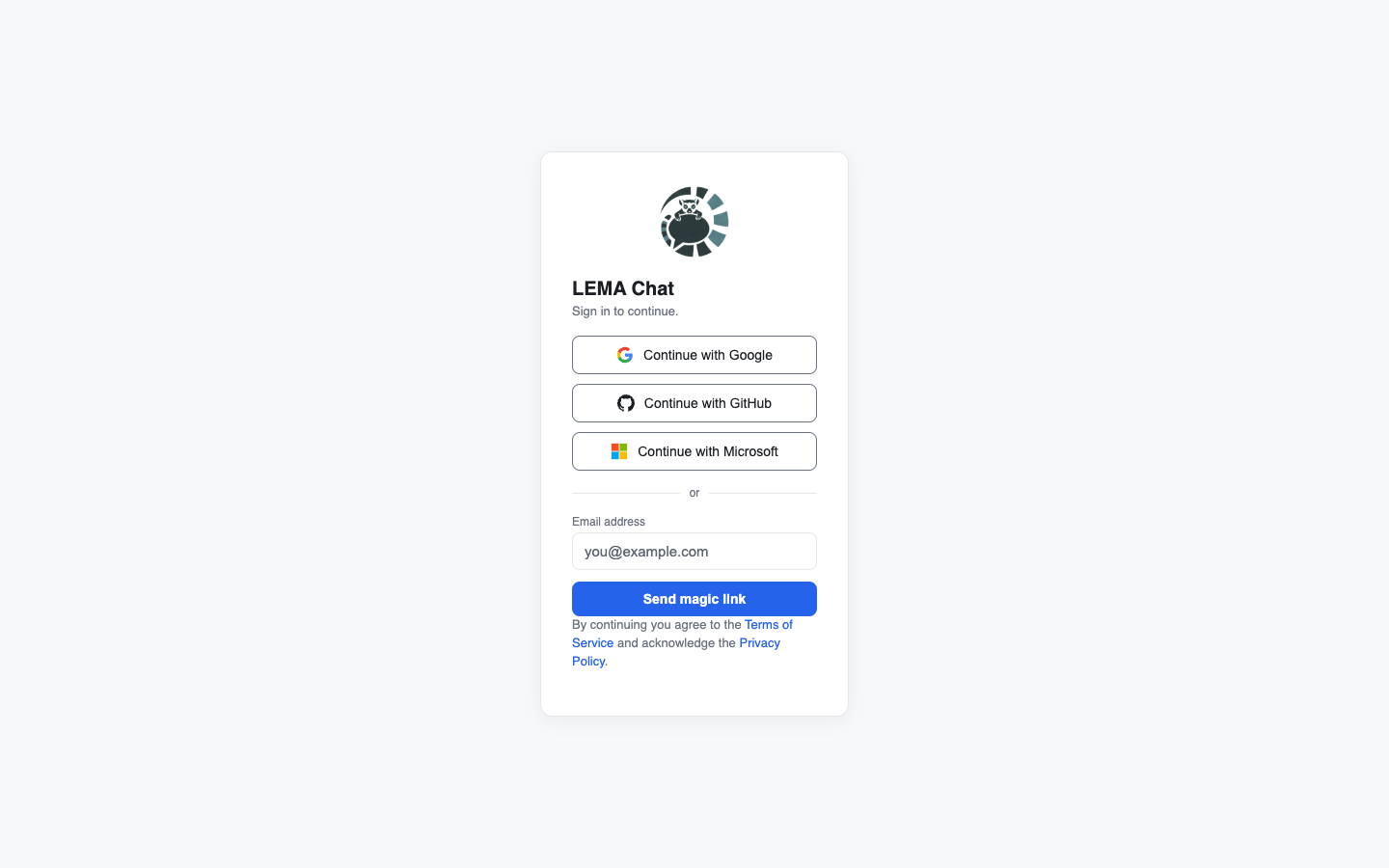
The link opens the LEMA Chat sign-in card. The person continues with Google, GitHub or Microsoft, or asks for a magic link by email. Once signed in they land in your workspace, with a Private chat of their own.
How long links stay valid
- A sign-in magic link is valid for 24 hours by default. Its lifetime is a platform setting: only the platform's super admin can change it, not a workspace admin.
- A workspace invite has its own expiry, 7 days by default, also set at the platform level.
Signing in with a different email
An invite sent to an address can only be accepted with that exact address (capital letters don't matter). Someone who signs in with a different address sees "This invite is for a different email address", with these options:
- Sign in with the invited address.
- Notify the inviter, with a short editable message asking for an invite to the address they want to use. You get it in your notifications and by email, with an Update the invite button. If you have left the workspace, its admins get it instead.
Removing a member
Remove on the Users page asks "Remove member?" and then takes the person out of the workspace.
- They lose access at once, including any open session.
- Their group memberships, Facilitator role and Founder switch for this workspace end.
- Their messages and other content stay in the workspace.
- The removal is written to the audit log.
Removing a member does not erase their account or their data. A person who wants their data erased uses their own right to erasure.
Roles and groups
What each member can do comes from their role. What knowledge they can see comes from their groups. See Groups & roles.