
Integrations & plugins
Integrations connect a workspace to outside services: AI providers, MCP servers, a CRM, repositories, storage, voice platforms and web search. Access to each one is governed with the same groups model as the rest of the workspace.
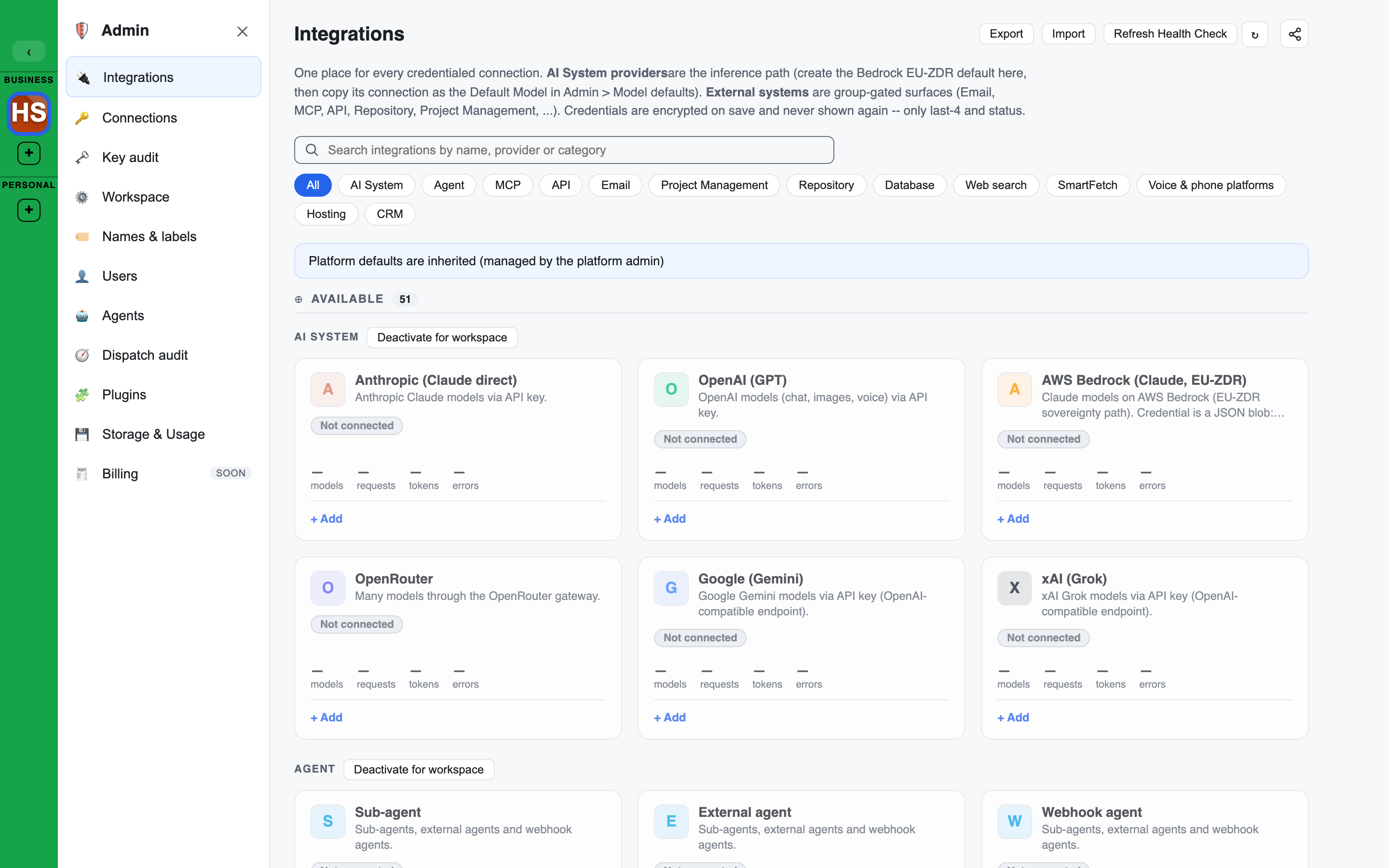
You manage them on the Admin console's Integrations page, a catalogue of tiles grouped by type.
How it fits together
- An integration is a workspace surface backed by one connection, which holds the credential. See Connections.
- Credentials are encrypted at rest. They are never shown again in full, only the last four characters and a status.
- Groups are granted access to an integration.
- Agents and Brains are bound to it to use it. Access is checked again every time it is used.
- There is one credential store and one grant model for every integration type.
What has a working adapter
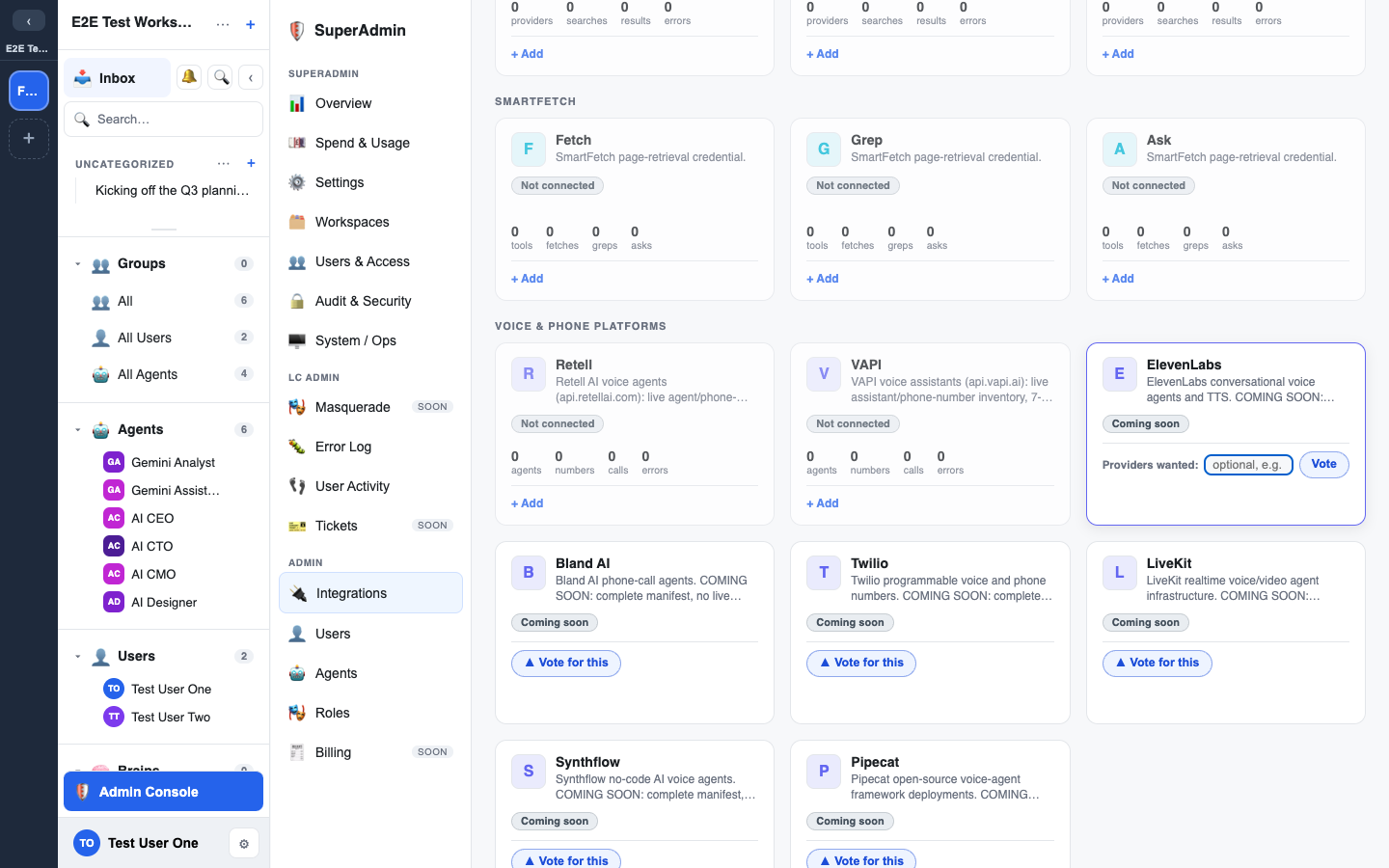
Every tile in the catalogue is a registered plugin. Some have a live adapter behind them; the rest show a Coming soon chip and a Vote for this button so you can register demand.
| Type | Providers with a live adapter | What the adapter does |
|---|---|---|
| AI System | Anthropic, OpenAI, AWS Bedrock, OpenRouter, Google Gemini, xAI Grok | Model calls, with a real health check |
| MCP | Any MCP server (SSE or stdio) | Imports the server's tools; agents can call them |
| CRM | GoHighLevel | Agents read contacts, pipelines, conversations and calendars, and write behind a write window |
| Project Management | Jira, Asana | Agents list projects, search and read work items and comments, and create, update, comment on and move items behind a write window |
| Web search and SmartFetch | Brave web search, SmartFetch | Agent search and fetch tools |
| Repository | GitHub | Repo inventory, recent commits and open pull requests per repo |
| Storage | S3-compatible storage, rclone | Reachability, inventory and Object Lock detection |
| Voice & phone platforms | Retell, VAPI | Read-only: agents, phone numbers, calls and transcripts |
These tiles are registered with no live adapter, and show Coming soon:
- Voice & phone platforms: ElevenLabs, Bland AI, Twilio, LiveKit, Synthflow, Pipecat. You can store a credential; every operation is refused.
- Hosting: Railway, Fly.io, Vercel, Netlify, Cloudflare Pages, Render.
Read the chip, not the catalogue
A tile appearing in the catalogue does not mean it works. The status chip on each card tells you.
Email, generic API/REST and database (Postgres) tiles can be created, granted and bound, but agents cannot call them. Only MCP, CRM and Project Management integrations are callable by agents.
Platform defaults you inherit
Your platform operator can provide integrations to every workspace.
- Web search and SmartFetch are basic tools. They appear on your page as read-only cards marked Managed at system level.
- To use your own credential instead, choose Override for this workspace on the card.
- Other platform-provided integrations are not listed. The page shows one note in their place: "Platform defaults are inherited (managed by the platform admin)".
Connecting an MCP server
LEMA Chat can use external MCP servers as well as act as one.
- Add an MCP integration with the server's URL.
- Add an optional bearer token. It is stored as the backing connection's credential.
- The server's tool list is imported when you connect, and again when you refresh. Each tool becomes an operation agents can call.
Tools the server marks read-only run at any time. Every other tool needs the integration to be writable (see below).
Read-only, read-write and write windows
Each integration has an Access setting on its card:
- Read-only is the default. Agents can only run read operations.
- Read-write lets agents run write operations too.
- When switching to read-write, choose how long it lasts: writable until disabled, or for 1 hour, 4 hours, 8 hours or 24 hours.
- A timed window expires on its own and the integration falls back to read-only. Use it to hand out a temporary write capability that lapses without anyone remembering to switch it off.
- While writable, the card shows a Writable chip with the time remaining.
The grants panel
Open an integration to see Access: who can use it.
Group grants
- Enter a group name, choose read, write or manage, and select Grant group.
- Granting a group again replaces its level. A higher level overwrites a lower one.
- Select × next to a group to revoke it. The group loses access at once.
- With no group grants, no group can use the integration.
- Grants made directly on the backing connection (not to a group) are listed separately, and can be revoked there too.
Bindings
The Bound to section lists the agents and Brains bound to the integration. Each binding has a state:
- Inherit: the binding can use every operation the integration offers.
- Restricted: pick the exact operations allowed. A Brain is retrieval-only, so it starts from the read operations.
- Off: the binding is kept but cannot use the integration.
Select × to unbind. A binding only chooses which operations are allowed. The integration's write window still decides whether a write can run now.
Other card controls
- Rotate key replaces the stored credential.
- Backing connection assigns a different existing connection of the same provider.
- Deactivate, Activate and Delete manage the instance.
- Delete moves a workspace integration to the Trash, with Undo on the toast. Restore it from the Trash until it is deleted for good.
- On an AI System connection card, Delete appears only once the connection is deactivated. Deleting a connection that integrations use takes them to the Trash with it: see Deleting a connection.
Status and call figures
Filter the page by status: Healthy, Needs attention, Unhealthy, Disabled, Not used, Not checked and Coming soon.
- Not checked means no check or call has reported on it yet. It is never shown as healthy.
- A status that could not be loaded reads Status unavailable, never healthy or empty.
Every model call and integration tool call records which connection it used and whether it succeeded. A connected card shows, for its connection:
- calls and errors over the last 30 days
- the last success and last error, with the error type
A figure LEMA Chat has no record of shows as not tracked, never as 0. Errors from before outcome recording started show as errors not tracked before outcome recording.
One plugin model
Widgets, integrations, connection providers and model catalogues use one plugin registry. Activation is layered: a plugin switched off for the platform cannot be used in any workspace. See Plugins for the workspace switches.