
Whisper
A whisper is a private note to the AI agents in a chat. It steers what the agents ask and focus on without you speaking to the room.
Whisper is for Facilitators and above. Members, interviewees and guests have no Whisper control and never see a whisper.
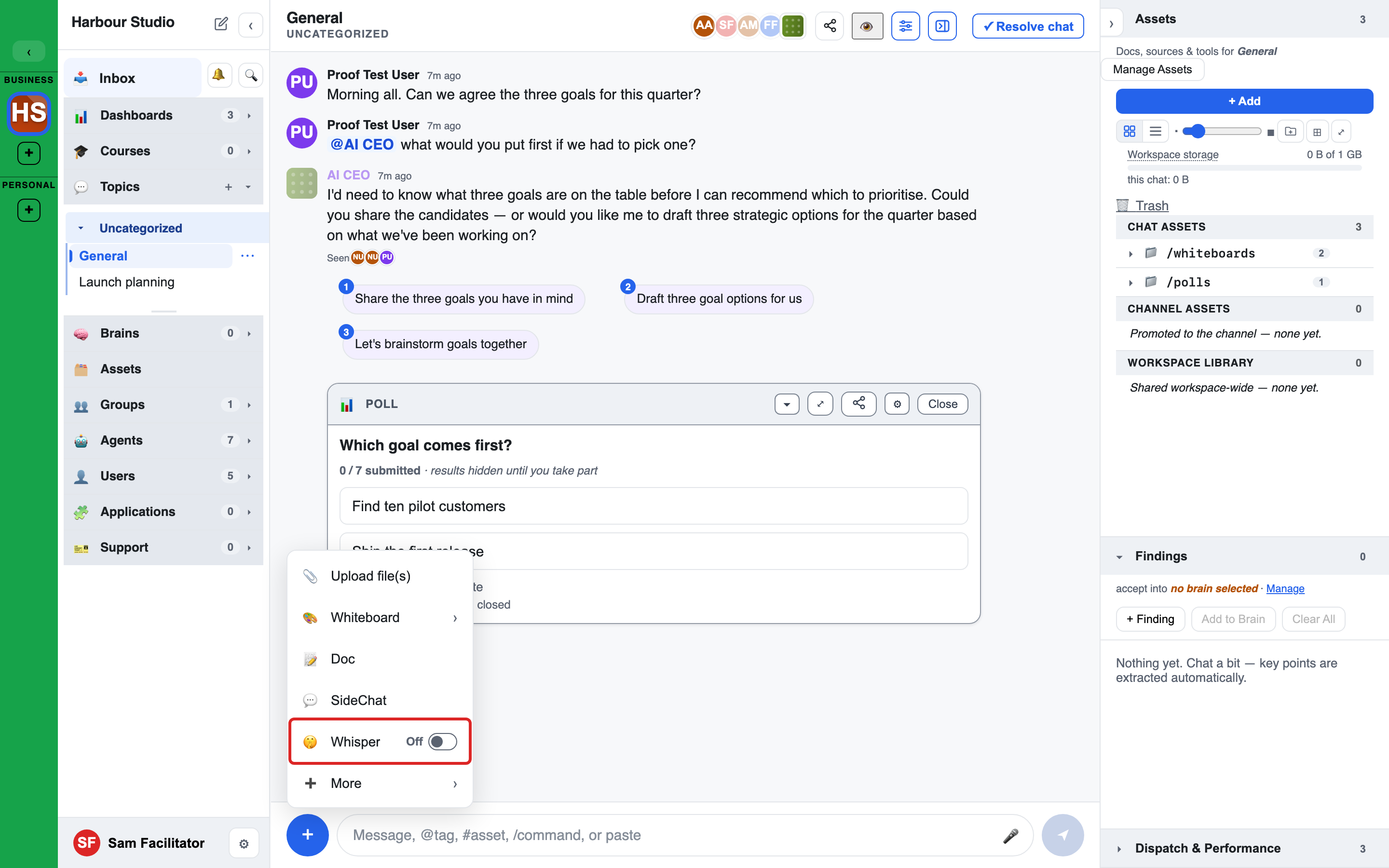
Turn Whisper on
- In the message bar, open the + menu.
- Press Whisper. The row is a switch that reads On or Off.
The + menu holds the switch at every screen width, phone included.
While Whisper is on:
- The message bar changes colour and shows a Whispering chip.
- Hover the chip to read "Only the AI and facilitators see this. @mention one agent to have it reply now."
- On a narrow phone the empty message bar reads Whisper….
Everything you send while the chip shows is a whisper.
Go back to Message
Any of these returns the message bar to Message:
- Press the x on the Whispering chip.
- Open the + menu and switch Whisper off.
- Press Esc, in a chat where Whisper is not the default.
Where Whisper is the default
In some chats the message bar opens in Whisper for a Facilitator. A workspace setting, facilitator_whisper_default, decides where:
| Value | Where the message bar opens in Whisper |
|---|---|
| interviews (the default) | Interview and Discovery chats where you are not the person being interviewed. |
| all_chats | Every chat. |
| off | Nowhere. The message bar opens in Message. |
In a chat where Whisper is the default:
- Message is one press away. Nothing is blocked.
- After you switch to Message, the message bar shows a Visible to everyone chip, so you can see that the next send goes to the room.
- Esc does not leave Whisper. Use the chip's x or the + menu.
A Message you send in someone else's interview is marked as yours. It is never counted as the interviewee's answer.
What a whisper does
- It joins the chat's message stream. A whisper takes the next message number in the chat.
- It shapes the agents' next turns. The agents read every whisper in the chat, in order.
- Whispers add up. A later whisper can change or cancel an earlier one, for example "Ignore my last note; go back to pricing."
- It does not make an agent reply. The agents use it the next time they speak.
- @mention one agent to get a reply straight away. The whisper is then for that agent only, and the agent answers at once.
- A reply to a whisper is a whisper. The agent's answer to your whisper is seen by the same people as the whisper.
- Commands do not run in a whisper. If you type a command such as
/councilwhile whispering, it is not sent, and the message bar keeps your text and tells you to turn Whisper off to run it. - Agents do not quote whispers. They are asked not to repeat a whisper word for word. If someone asks, an agent may say that facilitators can whisper to it.
- A whisper cannot grant anything. It cannot give an agent tools, permissions or the right to write somewhere.
Keep each whisper short. An agent reads the first 1,000 characters of a whisper. When a chat holds more whisper text than the agents can take in, the oldest whispers are left out and Facilitators see the note "Older whispers were dropped to fit; the agent sees only the newest."
Who sees a whisper
| Person | What they see |
|---|---|
| Facilitators, Admins and Owners who can see the chat | The whisper inline, tinted and tagged Whisper. |
| Platform support staff viewing the chat | The same as a Facilitator. |
| Members, interviewees and guests | Nothing. Their message numbers skip the whisper's number. |
| The workspace's own AI agents | Every whisper in the chat, or only the ones addressed to them when a whisper @mentions one agent. |
| External agents connected from outside LEMA Chat | Nothing. Whispers never leave LEMA Chat. |
Sending, editing and deleting a whisper are recorded in the audit log. Reading one is not.
Where you cannot whisper
The Whisper switch is offered only where a whisper can be sent. It is not offered in:
- an archived chat, or a chat in an archived Topic,
- a resolved chat,
- an archived workspace.
Steering an interview
In an interview you can also steer the interviewer from the session actions. See Running interviews.