
Debug traces
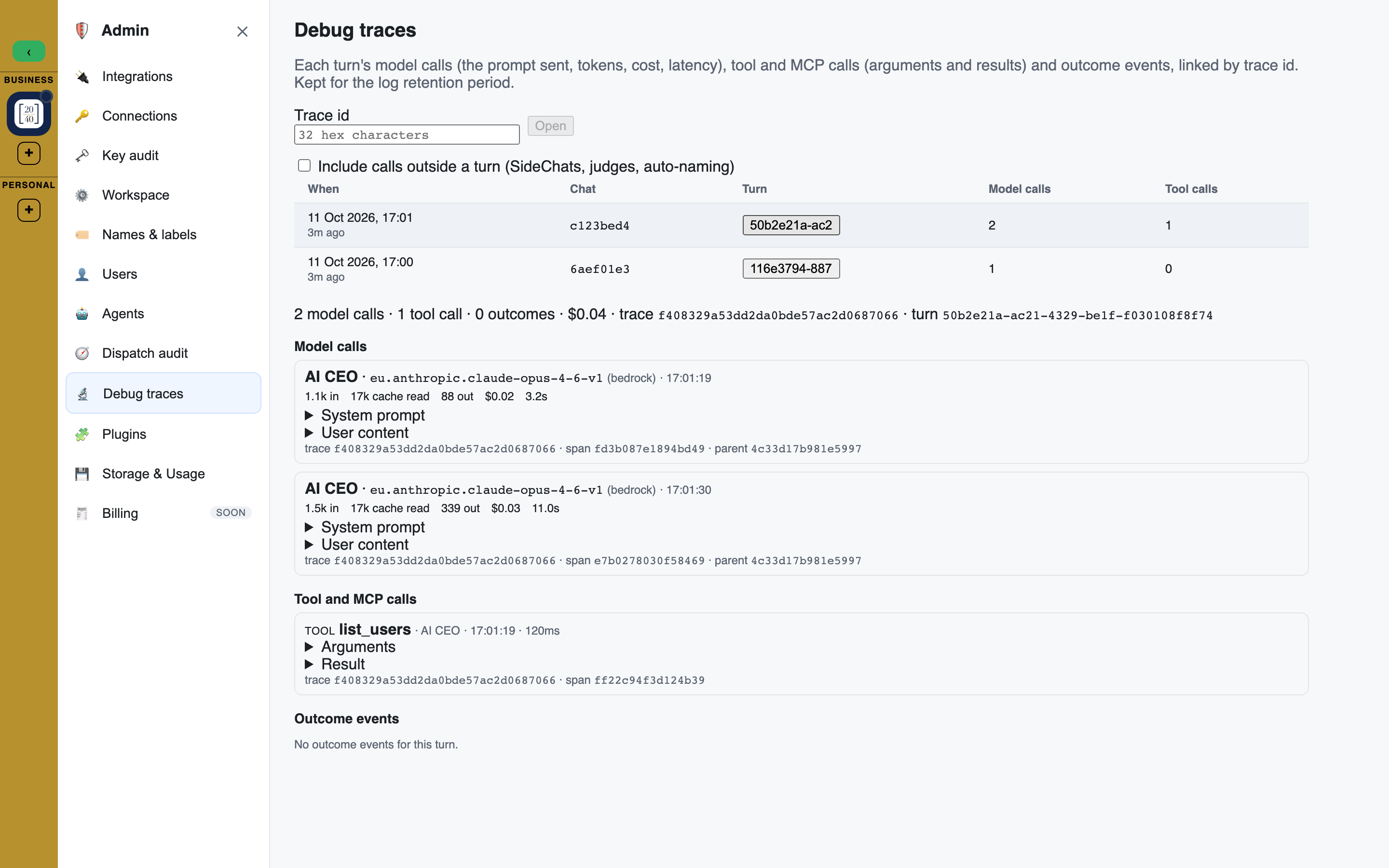
A debug trace shows exactly what an agent turn sent to the models and the tools it called, so you can check why an agent answered the way it did.
Who can see traces
- Workspace Admins and Owners, for their own workspace.
- Your platform operator, for any workspace.
- Members, Facilitators and guests cannot open traces. Agents and API tools never read them.
Opening a trace
There are two ways in:
- From a reply's cost. Click the $ cost on an agent reply. Under the cost breakdown, Open debug trace opens that turn's trace in a window. The link shows only to people who can see traces.
- From the Admin console. Open Admin > Debug traces. The page lists the newest logged turns: when, the chat, the turn, and how many model and tool calls it made. Click a turn to open it below the list. To open a trace by its id, type the 32-character Trace id and press Open.
Tick Include calls outside a turn to also list model calls that do not belong to a reply, such as SideChats, quality judges and automatic naming. They open by their trace id.
What a trace shows
- Model calls: each call's system prompt and the content sent, with its tokens, cost and how long it took. Images are listed by type and size, not shown.
- Tool and MCP calls: each call's Arguments and Result. Values whose names look like secrets are removed before they are logged, and long values are cut short.
- Outcome events: what happened after the reply, for example the person editing their question, or asking the same question again soon after the reply (a sign the reply missed).
- Other charges for the turn.
What is not logged
- Nothing is logged for a workspace that requires zero data retention for personal data, unless your platform operator has temporarily lifted that rule for the platform's model calls too.
- Traces are kept for a limited time, 14 days unless your platform operator sets another period, and are then deleted automatically.