
Ticket types and workflows
Every support ticket has a type, and every type follows a workflow. This page is for the people who manage tickets: the workspace Owner and Admin roles, and anyone given the manage_tickets permission (see Groups & roles).
Built-in types
Every workspace has five types. They cannot be changed.
| Type | Prefix | Workflow states | Visibility |
|---|---|---|---|
| Support | SUP- | Open, Triaged, In progress, Fixed, Verified, Closed, Won't fix | private |
| Bug | BUG- | the same as Support; Fixed to Verified needs evidence | private |
| Feature request | FR- | Proposed, Accepted, Planned, In progress, Shipped, Declined | private |
| Development | DEV- | Open, In progress, Review, Merged, Proved, Dropped; Merged to Proved needs proof | workspace |
| Epic | EPIC- | Open, Active, Done, Dropped | workspace |
A private type is seen by the reporter, the assignee and ticket managers (and by everyone once the ticket is shared). A workspace type is seen by every member.
Workflows
A workflow is a list of states and the moves allowed between them.
- Each state has a category: Open, Active, Review, Done or Dropped. The all-types board groups cards by category.
- One state is the starting state for new tickets. Done and Dropped states close the ticket.
- A state can have a WIP limit. The board flags a column that reaches it.
- Each move says who may make it: the reporter, the assignee, any member who can see the ticket, and/or ticket managers.
- A move can need evidence (a link or asset attached to the ticket) or need approval (a non-manager's move waits for a ticket manager).
A move that is not in the workflow is refused, with the list of moves that are allowed from where the ticket is.
Your own types and workflows
You can add types and workflows for your workspace, for example a "Content request" type with its own fields and a To do, Doing, Review, Done workflow. You create and edit them through the LEMA Chat API, /api/ticket-types and /api/ticket-workflows. Creating or changing them needs manage_tickets. Built-in rows are read-only.
- A type has a key, a label, a number prefix, a workflow, its fields and a visibility (private or workspace).
- Field kinds: text, long text, URL (https only), choice list, member, asset and number. A field can be required.
- A workflow must keep at least one open state and one closing state. A state that tickets are in cannot be deleted.
Approving a move
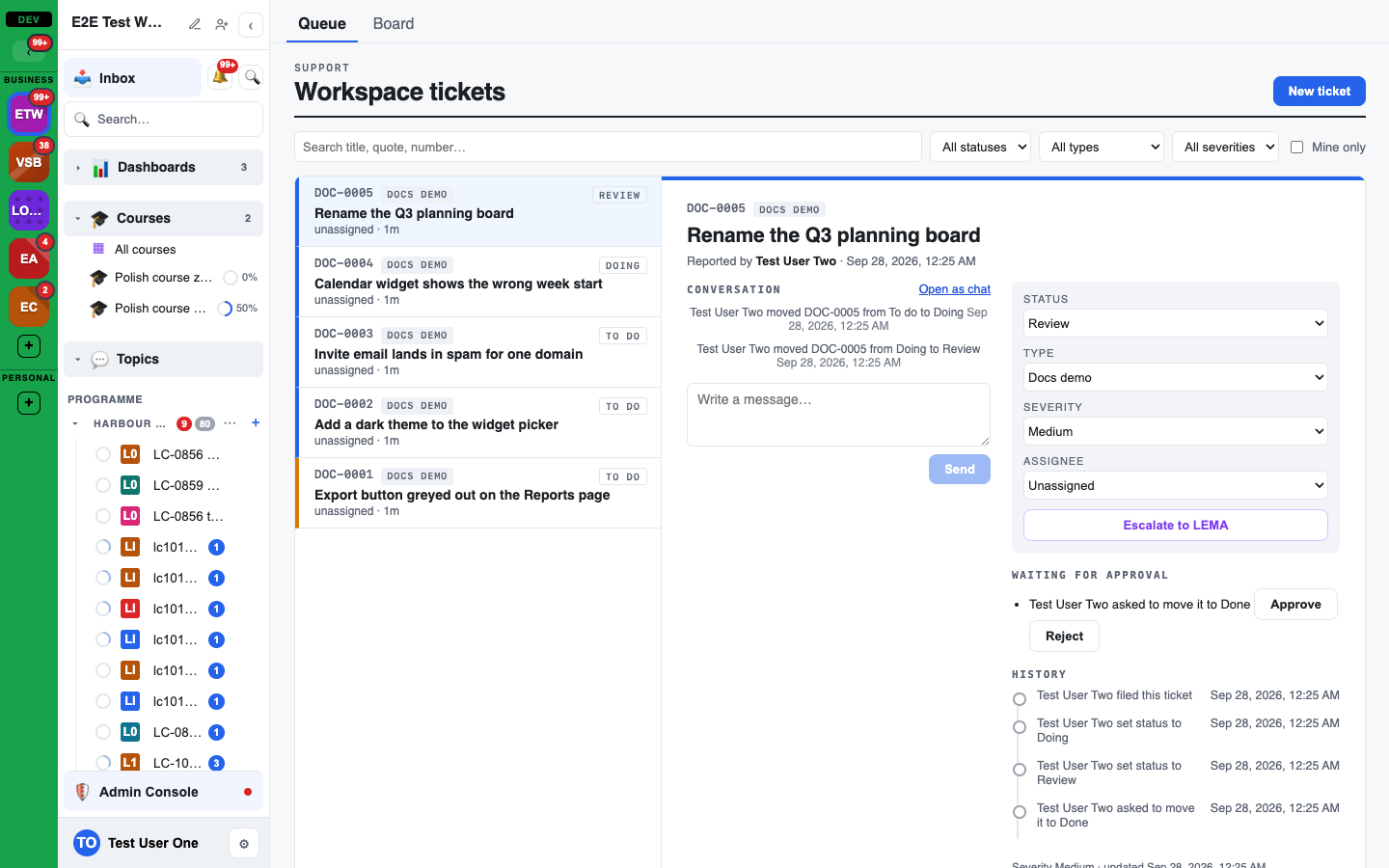
When a move needs approval, the ticket shows it under Waiting for approval with Approve and Reject, and the card on a board shows a Pending badge. Approving makes the move, checked again at that moment.
Changing a ticket's type
A ticket manager can change a ticket's Type on the ticket. The ticket keeps its chat, history, links and any fields the new type also has; other field values are kept aside, not lost. It gets a new number in the new type, and its old number still opens it. If the new workflow does not have the ticket's current state, you pick a state of the new workflow.
Changing a private type to a workspace type makes the ticket visible to everyone, so it needs an explicit confirmation, which is recorded in the ticket's history. If the type itself is changed from workspace to private, its tickets' chats close at once for the people who can no longer see them.
Archiving tickets
Archiving moves a finished ticket out of the everyday list without deleting it.
- Only a ticket in a closing state of its workflow can be archived. On any other ticket, Archive is shown disabled with the reason, naming the closing states it can be archived from.
- Anyone who can change the ticket's status can archive it, from Archive on the ticket. Unarchive brings it back.
- To archive several, select them in the list and archive them together. Tickets that are not closed yet are skipped, and the result says how many.
- The list shows Active tickets by default. Switch to Archived or Active + archived to see the others.
- Archiving and unarchiving are recorded in the ticket's history and in the audit log.
Agents
An agent acts with the permissions of the person it works for. It asks before it changes a type, closes a ticket, escalates, or moves a ticket that is not the person's own forward step, and whenever it has read untrusted content in the same turn. See Agents and tickets.