
Asset tags & links
Any file, doc, whiteboard or widget in a chat is an asset. You can tag an asset in a message so everyone can open it in one click, and you can share a link that opens a chat with the right asset already on screen.
Tagging an asset with
Type # in the composer to open the asset picker, then keep typing to search.
- Search past spaces:
#Q3 repfinds "Q3 Report". Picking a result replaces what you typed with the tag. - Search by folder: each result shows its folder path under the title, for example
/documents/2040/TOPICS. Type a/to narrow by folder:#2040/topfinds a title containing "top" in a folder containing "2040". - Closest first: this chat's assets are listed first, then the channel's, then the rest of the workspace. You only ever see assets you can open.
- No duplicates: an asset already tagged in your draft isn't offered again.
- Ordinary hashtags are safe: the picker closes when nothing matches, so "#hashtag word" stays plain text. Press Esc to dismiss it. With the picker open, Enter still sends a message like "we need #1"; use Tab or a click to pick.
You can also drag a row from the Assets panel into the composer, and new docs, whiteboards and widgets you create from the + menu are tagged for you.
Chips
A tagged asset becomes a chip: the asset's icon, title and number.
- One character: in the composer a chip behaves like a single character. Arrow keys jump over it, and one Backspace removes it whole. Nothing you type next to it merges into it.
- Stays linked: a chip holds the asset itself, not its name. If the asset is renamed before you send, the chip updates and still points at the same asset.
- Long titles are shortened with an ellipsis. Hover a chip (or tap it once on a phone) to see the full name, folder path, kind and owner.
- Same-named assets: if two chips in one message share a title, each shows just enough of its folder to tell them apart, for example
TOPICS #1 (2040). - Opening: in a sent message, click a chip to open the asset. If it's already open, it comes to the front; nothing opens twice.
- Copy and paste: chips survive copy and paste between LEMA Chat composers. Pasted anywhere else they become plain
#Titletext.

What other people see
A chip never reveals more than the reader is allowed to see.
- Someone who can open the asset sees the chip as you do.
- Someone who can't sees "Unavailable asset", with no title.
- A deleted asset shows as "🗑 Title (deleted)", greyed, to people who could have seen it. Clicking it says the asset was deleted. Everyone else sees "Unavailable asset".
- Agents get the tagged assets as context, if they are allowed to read them. If you tag something this chat's agents can't read, the message still sends and the composer tells you "Agents in this chat can't see #Title".
Wherever a message appears as plain text (reply previews, search results, notifications), tags read as #Title for that reader, never as raw codes.

Links that open the right thing
Every asset has its own link. Opening it takes you to its chat with the asset open (docs open in View mode).
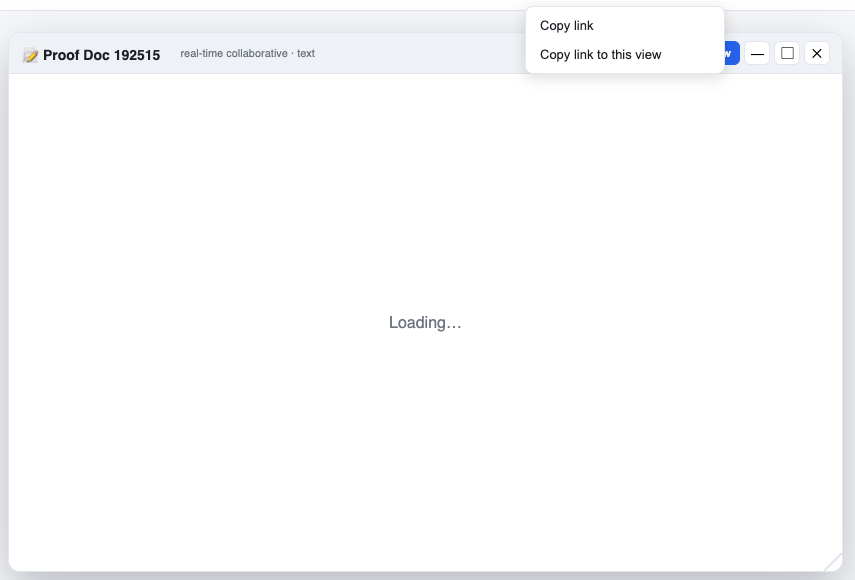
Copy link and Copy link to this view
Use the Share icon in the chat header.
- Copy link copies the plain link to the page.
- Copy link to this view appears when you have something extra open (an asset window, the right panel on a phone, or a specific message). It copies a link that reopens that same view for the person you send it to.
If nothing extra is open, Share copies the page link in one click. View links carry only IDs, never private information, and the person opening one still needs access to everything in it.
Files with no viewer
Images and docs open in a viewer. A file LEMA Chat can't display (a zip, for example) opens a No viewer notice naming the file, with a Download button. A link never starts a download on its own.
Links from another workspace
A link opens in the workspace it belongs to. If you're a member of several workspaces and the link points to a chat, course, community, Topic or Brain in a different one, LEMA Chat switches you to that workspace first.
If you can't see what the link points to, you get a plain "not available" notice with no title or details, the same as for something that doesn't exist.