
Search & notifications
Search
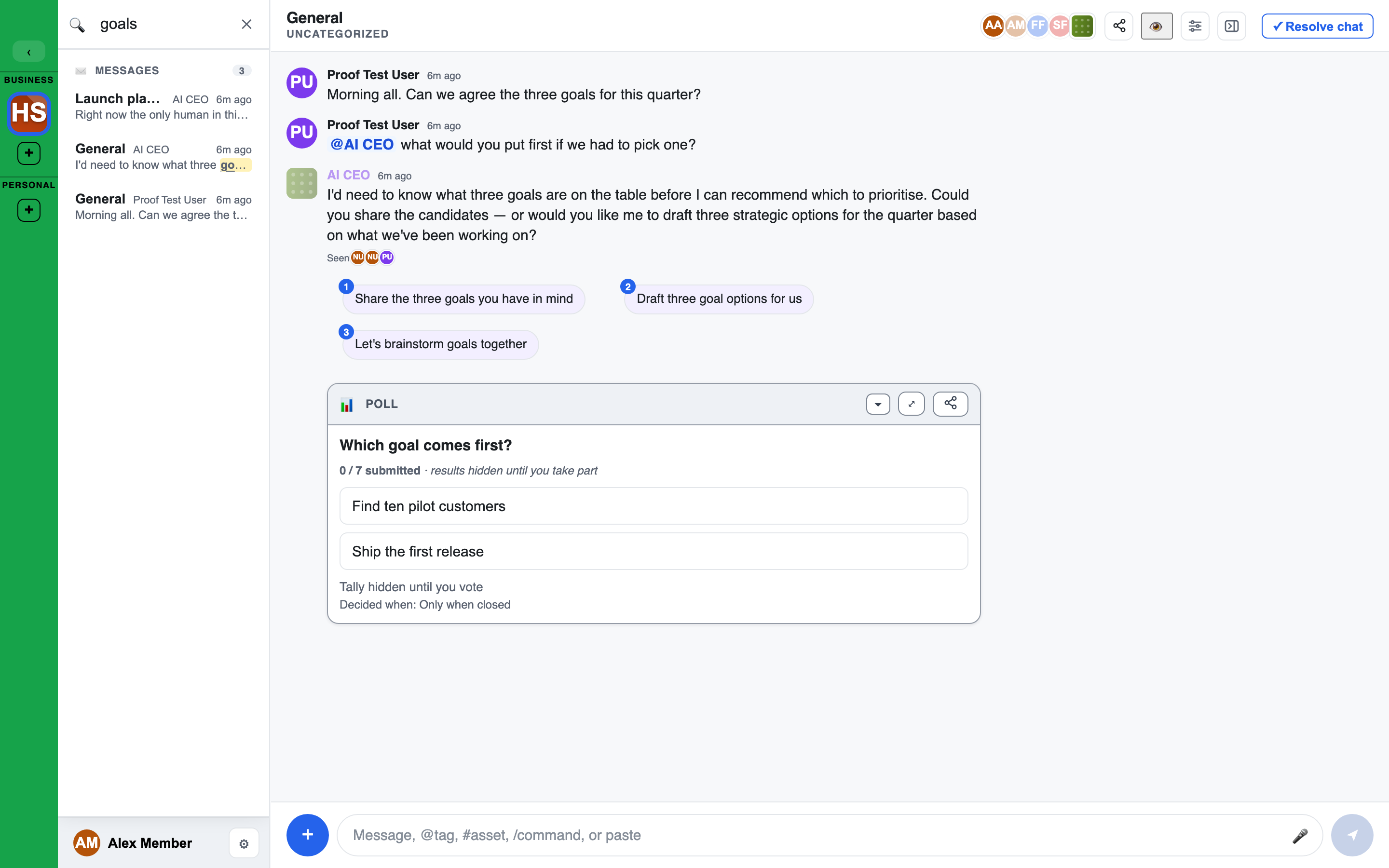
Search finds content across the workspace you are in: chats, messages, whiteboards, docs, files and Brains. You only ever see results you are allowed to open.
- Open it with the 🔍 button or the Search… bar at the top of the left sidebar. The search panel covers the sidebar from top to bottom, so nothing competes with your results.
- Type what you are looking for. Results are grouped: Chats, Messages, Whiteboards, Docs, Files and Brains.
- Preview: hover a result, or move to it with the arrow keys, to preview it in the main area.
- Open: click a result, or press Enter. You are taken to the chat and, where it applies, to the exact whiteboard or doc the match is in.
- Close with ✕ or Esc.
A result can carry a small tag: related for a match by meaning and not by the exact words, archived, or hidden.
Jump to anything
Press Cmd+K (or Ctrl+K) to open a quick box that jumps to a chat, whiteboard or doc, or runs an action.
Notifications
LEMA Chat notifies you when you are mentioned, when someone messages you directly, and when something needs your attention.
The bell
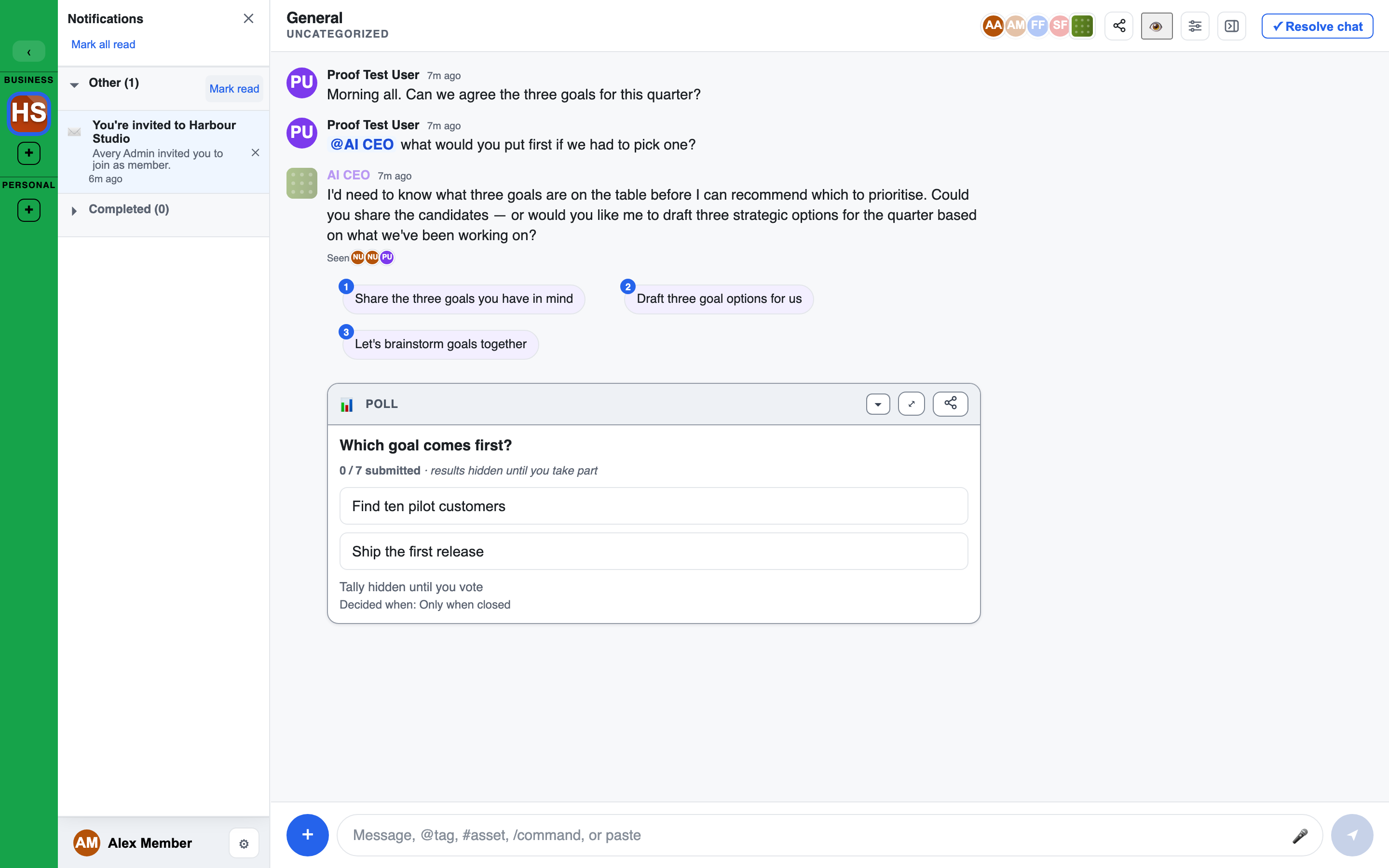
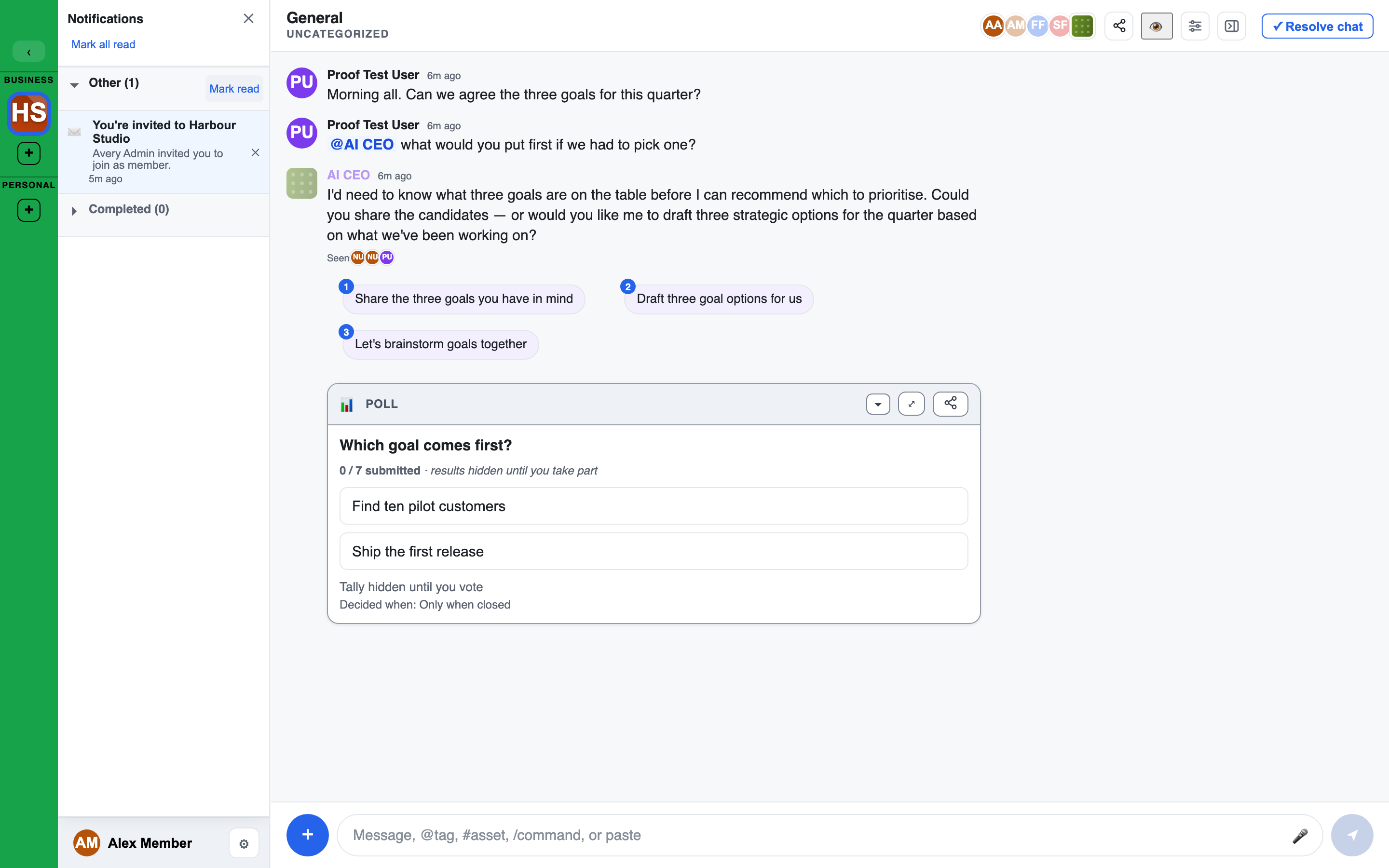
The 🔔 bell at the top of the left sidebar opens Notifications, over the sidebar. The number on the bell is what is waiting in this workspace.
The panel has these parts, from the top:
- Conversations: the chats with unread messages, with a line such as "12 unread messages in 3 chats". Each row is a chat with its unread count. A chat that needs your attention is marked with a red !. Show all lists the rest, and Open in Inbox takes you to the Inbox.
- Alerts: notifications grouped by kind. Facilitators and admins have their own groups for the alerts that come with those roles. Each group has Mark read.
- Completed: notifications you have dealt with, kept for 30 days. Mark unread puts one back.
What you can do:
- Click a notification to go to it.
- Hover one, or move to it with the arrow keys, to preview its chat in the main area. A preview does not mark anything read.
- ✕ on a row clears it.
- Mark all read at the top clears the unread ones in one go.
When nothing is waiting, the panel reads "You're all caught up."
Inbox
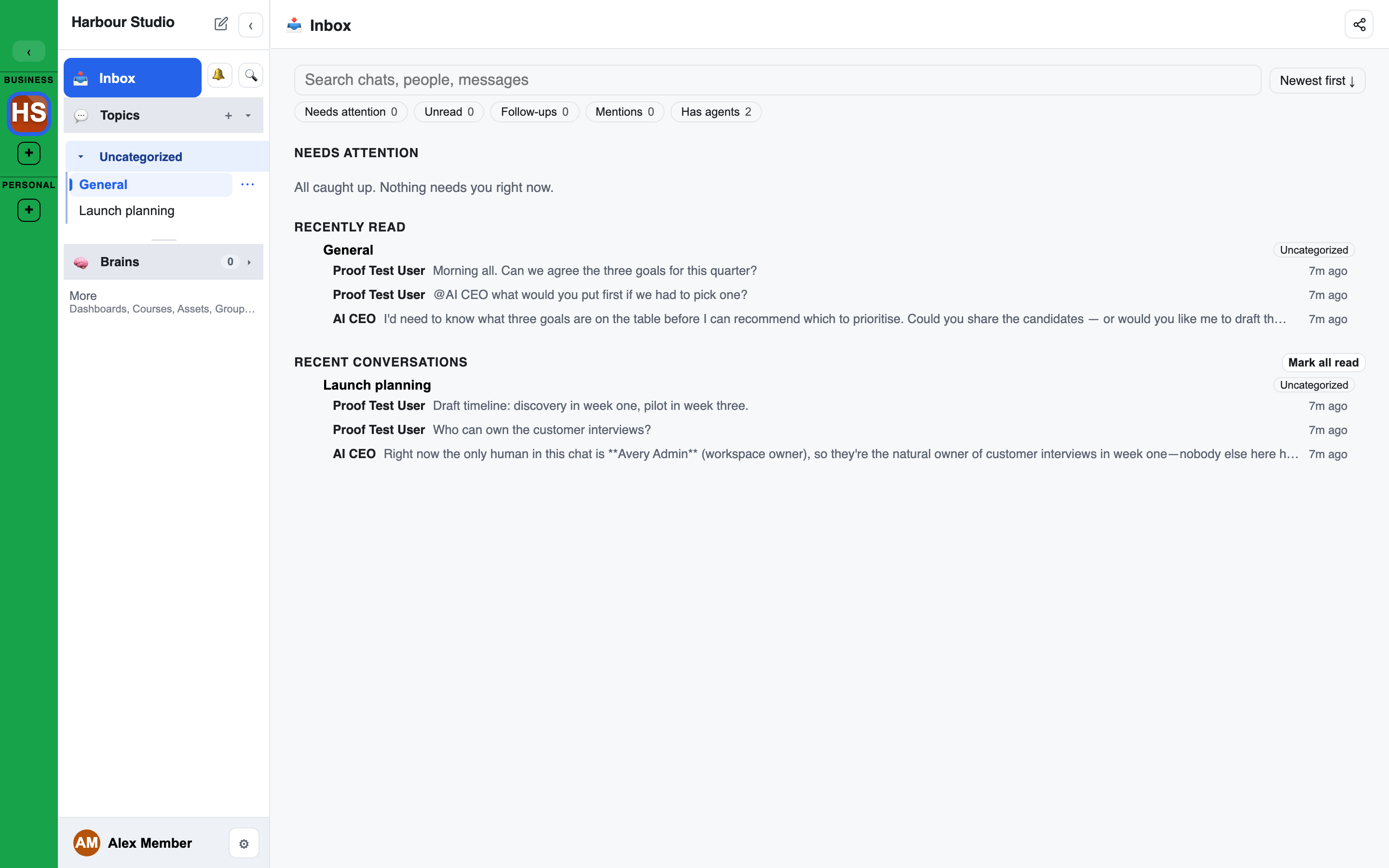
Inbox, beside the bell, opens a page for working through what is waiting for you in this workspace.
- Needs attention: the chats that need you, each with its Topic and its latest lines. A red number is something aimed at you. When there is nothing, it reads "All caught up. Nothing needs you right now."
- Unread: chats with messages you have not read yet.
- Recently discussed: your other chats (ones you posted in, were mentioned in, or opened, plus the latest chats you can see when that list is short), ordered by your own latest update, newest first.
Within each part the newest are first; the Newest first button flips that to oldest first and is remembered. Use the search box (chat name, people, message text) and the filter chips (Needs attention, Unread, Follow-ups, Mentions, Has agents, and a Topic picker) to narrow the list; each chip shows how many chats it would show. The page address keeps your search, filters and sort, so you can share or bookmark it. A Topic's or the Topics page's chat list works the same way.
Click a row to open the chat.
Alerts outside the app
Notifications are on by default. On a computer you get a browser alert when you are @mentioned or messaged while away. In the iPhone app you get a push notification.
- The first time, your browser or phone asks for permission.
- To stop them on one device, turn off Notifications in Settings > Notifications on that device.
- In a browser on an iPhone, add the site to your Home Screen first. The browser cannot show notifications until you do.
Email
Notifications you have not read are also emailed to you, batched so you are not flooded:
- Needs you (mentions, replies, approvals and reviews waiting on you) goes out every 5 minutes at most, unless you change it.
- Everything else goes out every hour at most, and rides along in a Needs you email when one is sent.
- Each email comes from a
notifications@address at your workspace's sending domain, and its subject starts with [Notification] (or [Notifications] when it holds several). - Inside, items are grouped under Needs you and Everything else. Each item shows its title and an excerpt, with its own button that opens the conversation at the first message you have not read, and the plain link under it.
- Read and respond in the app, not by email.
- Your workspace may add a short AI summary, or the latest lines of each conversation; see Workspace settings.
- A notification you read in the app is never emailed.
Choose how often, and which of your addresses each workspace emails, in Settings > Notifications.
In a workspace that keeps its data confidential, the email only says how many notifications are waiting, with no names or message text.
Only when you are away
Phone, browser and email alerts go only to people who are not looking at LEMA Chat right now. You count as looking only while a LEMA Chat tab or the app is open, in front, and in use, on any of your devices. A tab left in the background does not count, so you are still alerted.
Sound
Turn on Notification sound in Settings > Notifications to hear a short sound whenever the bell's number goes up. It is off by default.
Clearing as you go
With Move read items to Completed on in Settings, a notification moves to Completed as soon as you read it or open its chat. With it off, read notifications stay in the list until you clear them, and the panel gains Clear read and Clear all.
Unread and read
Your read position is kept on the server, for each conversation, so it is the same on every device. Read a chat on your phone and it is read on your laptop too.
- Read means seen: a message counts as read once it has been on your screen for about three seconds. Opening a chat does not mark everything read. Messages you have not scrolled to stay unread.
- Looking is not reading: hovering a search result or notification, or peeking at a chat, never marks anything read.
Badges
- Blue numbers are unread messages. Red means something is aimed at you: an @mention, a direct message or an alert. If anything is red, the badge is red.
- @N: a chat with mentions waiting shows a count with an
@in front. - Workspace tiles: each workspace tile in the far-left rail shows what is waiting there, including the workspace you are in. A workspace with unread messages and no notification shows a blue dot. Hover a tile for the breakdown, for example "27 unread messages · 1 notification · 3 tagged". Switching workspace never changes the counts.
- The bell counts only the workspace you are in.
Muting
Mute a chat to stop it notifying you while keeping it in your sidebar. Open the menu on the chat's row, choose Mute, and pick how long: 1 hour, 4 hours, 8 hours, 2 days or 5 days. Unmute ends it early. A mute applies on the browser or phone where you set it.