
Whiteboards & docs
Chat is one surface; Whiteboard and Doc are two more. Both are collaborative, both live inside a chat, and both can be promoted to a Brain when they're worth keeping.
Whiteboard
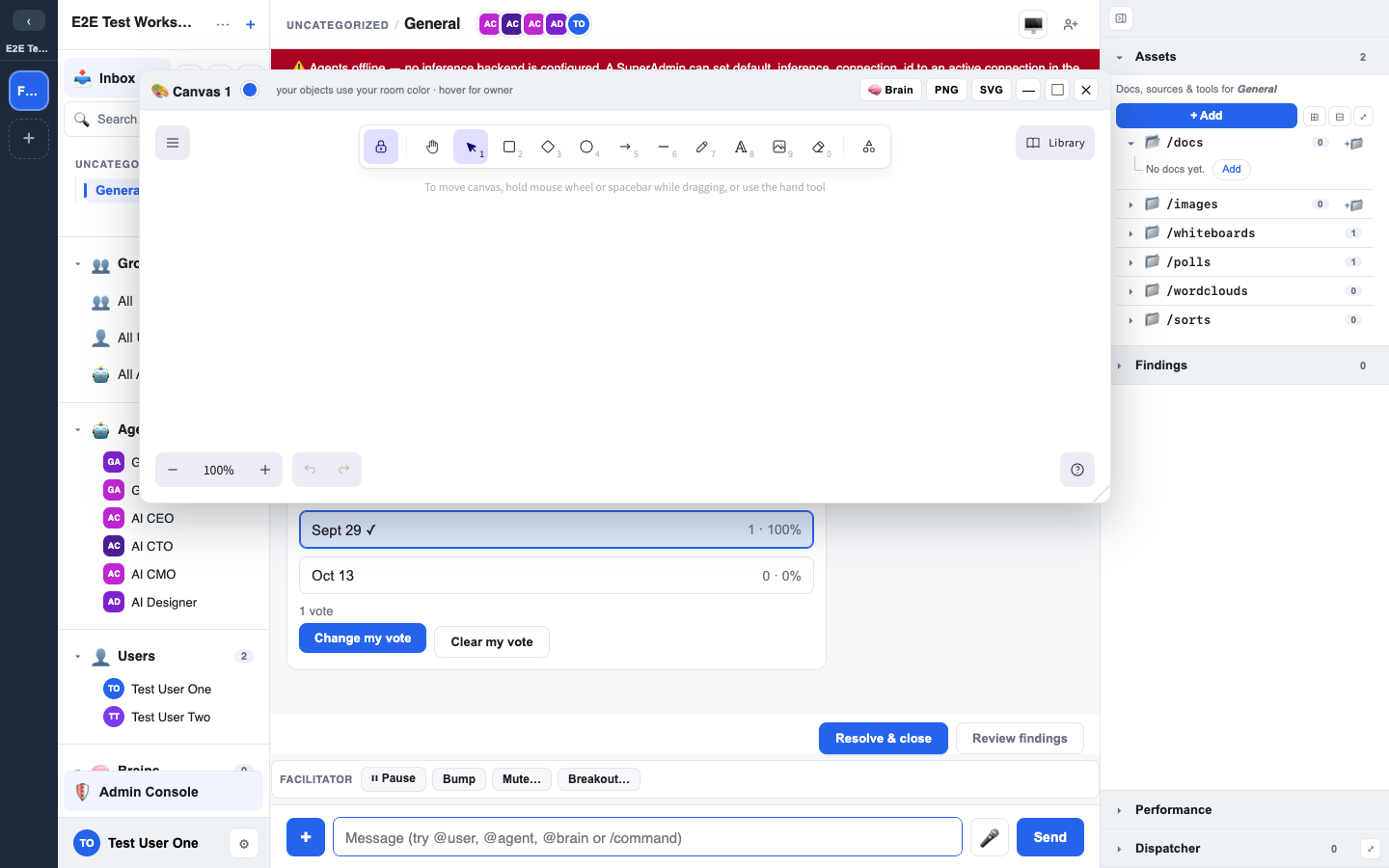
A whiteboard is an Excalidraw drawing surface attached to a chat. Start one from the composer's + menu (Whiteboard), the + Add control in the Assets panel, or the /whiteboard slash command.
- Multiple whiteboards per chat: each one is its own asset.
- Per-object ownership: every shape carries who drew it.
- Lifecycle: rename, archive, restore, or delete a whiteboard; archived ones can be brought back.
- Promote to Brain: turn a finished whiteboard into durable knowledge.
- Shared library: your workspace keeps a library so useful shapes and templates can be reused.
A whiteboard is always editable; it has no separate View mode.
Links and videos on a whiteboard
Drag a link from the Assets panel onto a whiteboard:
- A YouTube, Vimeo or Loom video becomes an embedded player. It never loads until someone presses its ▶ button, and YouTube plays through its privacy-enhanced player.
- Any other link becomes a card with the page's title and preview image. Clicking it opens the link asset in LEMA Chat.
Titles and previews are looked up for each viewer. Someone who cannot see the link asset sees a neutral Link unavailable placeholder instead, so nothing about the link leaks.
Only YouTube, Vimeo and Loom can be embedded on a whiteboard. Other embeds are not loaded.
Doc (collaborative document)
A doc is a live collaborative document, so several people can edit at once without stepping on each other. Start one with + → Doc, /doc, or + Add.
- Opens in View, edit on purpose: an existing doc opens in View mode. Switch to Edit with the toggle (only if you can edit it). A doc you have just created opens straight in Edit for you.
- Real-time co-editing: edits sync live.
- Durable text: the document's text is saved, so it's searchable and safe.
- Lifecycle: rename, archive, restore, delete.
- Promote to Brain: publish a finished doc into a Brain.
Diagrams
A ```mermaid block in a message or a doc draws as a diagram (org charts, flowcharts, process maps). Ask an agent for one and it writes the block for you.
- Line style: connector lines are drawn Right-angle (straight lines with 90-degree turns, laid out to cut crossings), Straight, or Smooth (curved). Your workspace sets the default; pick your own under Settings > Diagrams > Line style.
- Per diagram: the ⋯ menu on a diagram has Line style to switch just that diagram, plus Copy source, Download SVG / PNG and Open as whiteboard. A whiteboard made from a Right-angle diagram uses elbow arrows.
- A diagram whose source sets its own style (a
%%{init}%%line) keeps it.
Org charts
For an org chart or any reporting hierarchy, use an ```orgchart block. It draws a real org chart: the top person centred, each level on one row, a line down to a bar across the reports and an arrow into each box.
```orgchart
Ada Lovelace | Chief Executive
  + Pat Doyle | Executive Assistant
  Ben Ortiz | Chief Financial Officer
  Cyra Nair | Chief Technology Officer
    Dee Park | Platform Lead
    Eve Moss | Data Lead
```- One person per line:
Name | Title(the title is optional). - Indent two spaces to report to the line above.
- Start a line with
+for an assistant or staff role: it hangs off to the side. - A long row of people with no reports of their own wraps into two columns (more than 6 by default; add
%% wrap 4to change it,%% wrap 0to never wrap). - A plain top-down mermaid tree (every box has one manager) drawn Right-angle also renders as an org chart.
- The ⋯ menu works as for any diagram; Open as whiteboard keeps the same layout with elbow arrows.
Linking and tagging
Every whiteboard and doc is an asset, so you can tag it in a message with # and share a link that opens it directly. See Asset tags & links.
Why "promote to Brain" matters
Whiteboards and docs are still conversation surfaces: they're where work happens. Promoting one to a Brain is the deliberate act of saying "this is a finding we want to keep." Talk and sketch freely, then promote the parts that should outlive the chat. See Resolutions & findings.