
Dispatch & performance
Every message you send passes through dispatch: a router that decides which agents, if any, should answer it. Dispatch routes. It never answers. LEMA Chat shows you what it decided, so a slow or surprising reply can be explained.
What dispatch does
- Routes each message to zero or more agents in the chat. Not every message gets an agent reply.
- An @mention decides it: mention an agent and it is asked to reply.
- Takes turns: when several agents could answer, dispatch decides who goes and in what order, so they do not talk over each other.
- Says why: when it sends a general request to the AI Facilitator, for example, the reason is shown as "Routed to AI Facilitator: general task".
While an agent is working, the line under the chat says so: "routing…", then the agent's name and "is thinking…", then what it is doing.
The Dispatch & Performance section
Open the right panel of a chat and expand Dispatch & Performance ("Routing & timing for this chat"). It shows, for the latest agent replies:
- Routing: which agents the message went to, and why.
- Timing: how long each stage took, from routing through gathering context and the model's reply to any tool steps.
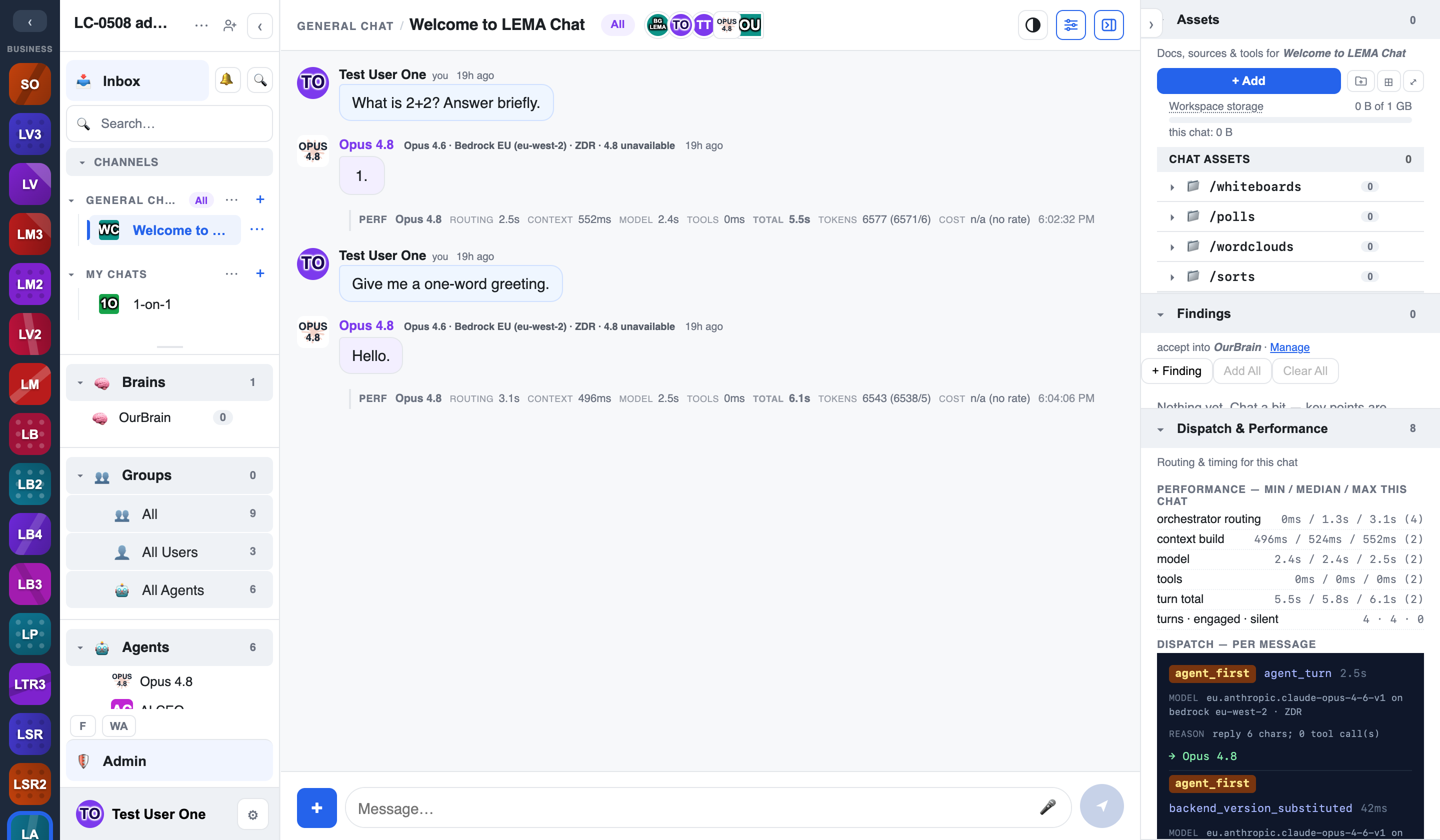
Use it when a reply was slow, or when the agent you expected did not answer.
When no agent replies
- The message was between people, or only tagged assets, so it was not sent to an agent.
- The agent had nothing useful to add and stayed quiet.
- More agents were reached than are allowed to reply. A note in the chat says how many did not.
To be sure an agent answers, @mention it. See Mentions, agents & brains.
For admins
Workspace admins can also see what each reply cost and show routing, timing and tool detail under each message. See the Admin's Guide.