
Widgets
Widgets are small, live, collaborative objects that render inline in the chat timeline — right where they were created, like a card in the flow of messages. Everyone in the chat interacts with the same widget in real time.
Create one from the / command menu.
The three widgets
| Widget | Command(s) | What it does |
|---|---|---|
| 📊 Poll | /poll | A question with options everyone votes on. |
| 🔤 Word cloud | /wordcloud, /cloud | Collect words from the group into a live cloud. |
| 🗳️ Sortbox | /sortbox, /rank | Rank a set of items, or dot-vote across them. |
When you run one of these commands, a short setup panel opens so you can enter the question or items, add options, optionally auto-close the widget after a set time, and choose how results are revealed.
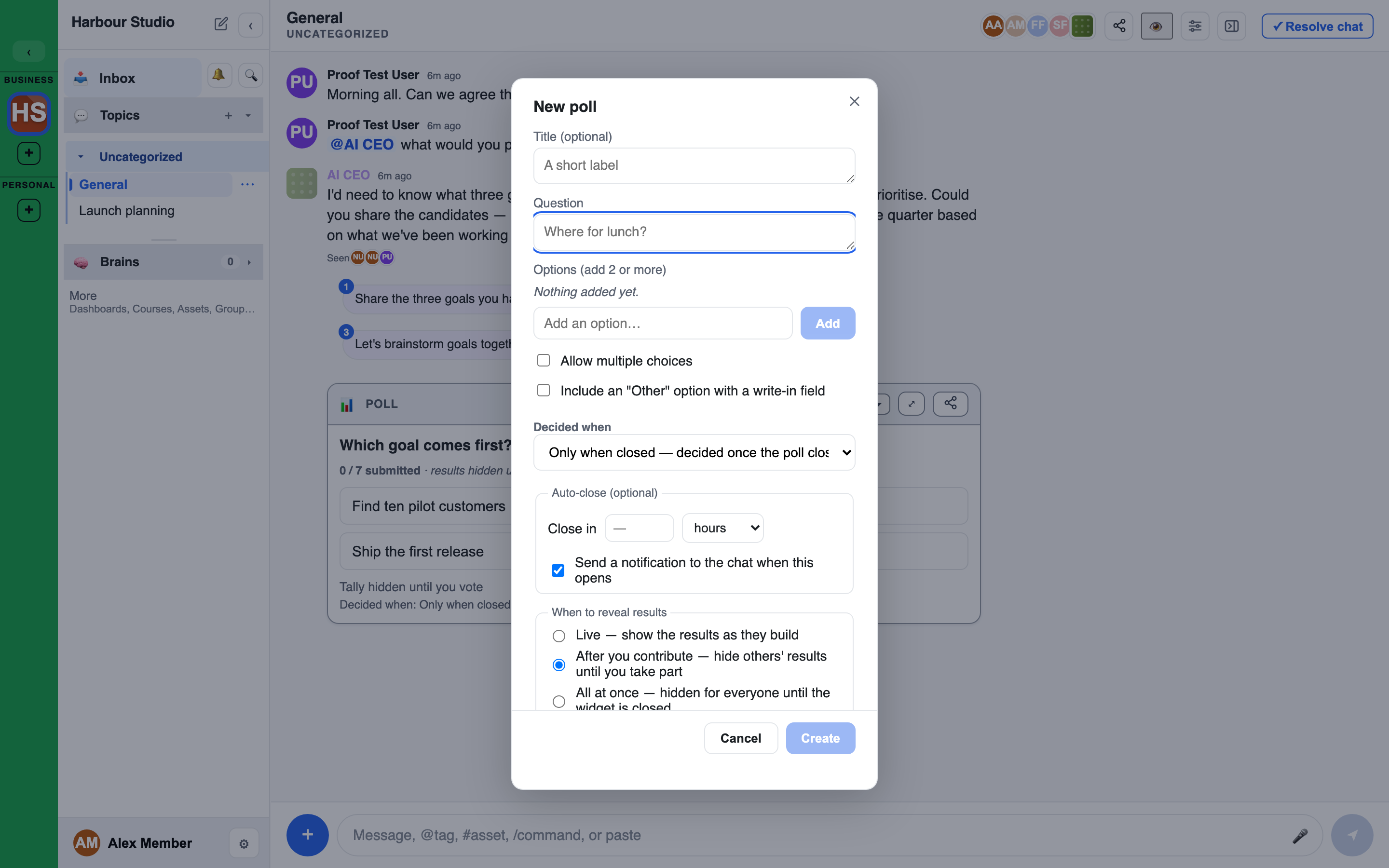
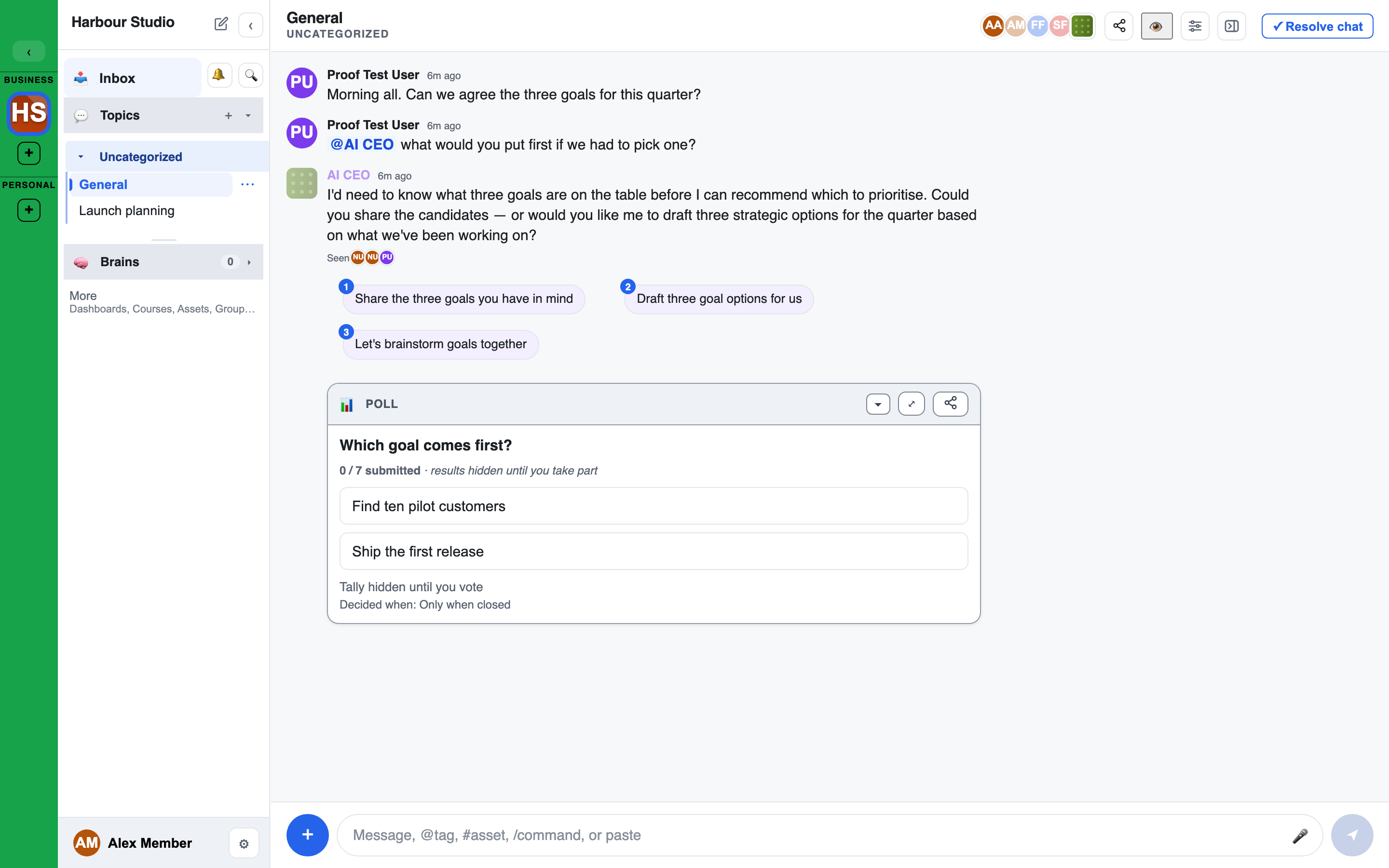
Once it's created, the widget renders as a live card right in the timeline, where everyone votes and watches the result build.
Reveal policies
You choose when participants see the aggregate result:
- After your own input (default for polls and sortboxes) — you can't see how the group is voting until you've contributed, which reduces anchoring.
- Live (default for word clouds) — results update for everyone as they come in.
Opening a widget full-size
Any widget can be opened full-size from its card or from the right-rail Assets list, so a busy poll or a growing word cloud is easy to read. Live updates flow to the full-size view too.
Word clouds
- Max words per person: leave it blank (or enter 0) for no limit, or set a number up to 50. The setup panel starts blank, so a new cloud has no limit.
- Use a different color for each item: on by default.
- Vote for a word that is already there: click it. Click it again to take your vote back. Each click counts towards your words. The cloud says so under the words: "Click a word to add your vote; click it again to take it back."
- Until you add a word, others' words stay hidden if the cloud reveals after your own input.
Sortbox modes
A sortbox runs in one of two modes:
- Rank — order the items.
- Dot-vote — distribute votes across items.
Other widgets
Deleting a widget
Deleting a poll, word cloud or sortbox moves it to the Trash, with Undo on the message that confirms it. Quiz and link widgets are deleted for good, and the confirm says so. See Trash and recovery.
Facilitators
For running widgets well in a live session — sequencing them, using reveal policies deliberately, and turning results into findings — see Widgets in depth.